
ASRock N68-VS3 UCC driver and firmware
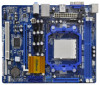
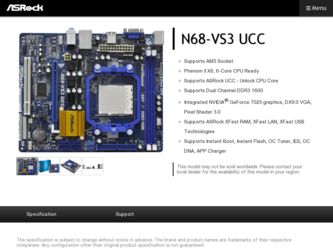
Related ASRock N68-VS3 UCC Manual Pages
Download the free PDF manual for ASRock N68-VS3 UCC and other ASRock manuals at ManualOwl.com
User Manual - Page 3
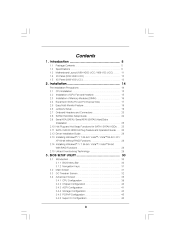
... ...SATAII Hard Disk Setup Guide ...Serial ATA (SATA) / Serial ATAII (SATAII) Hard Disks Installation ...Hot Plug and Hot Swap Functions for SATA / SATAII HDDs ...SATA / SATAII HDD Hot Plug Feature and Operation Guide ...Driver Installation Guide ...Installing Windows® 7 / 7 64-bit / VistaTM / VistaTM 64-bit / XP / XP 64-bit Without RAID Functions ...Installing Windows® 7 / 7 64...
User Manual - Page 4
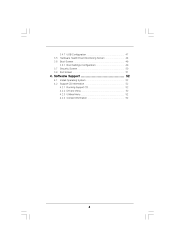
... 3.7 3.8 4.1 4.2
3.4.7 USB Configuration ...Hardware Health Event Monitoring Screen ...Boot Screen ...3.6.1 Boot Settings Configuration ...Security Screen ...Exit Screen ...Install Operating System ...Support CD Information ...4.2.1 Running Support CD ...4.2.2 Drivers Menu ...4.2.3 Utilities Menu ...4.2.4 Contact Information ...
47 48 49 49 50 51 52 52 52 52 52 52
4 . Software Support ...52
4
User Manual - Page 5
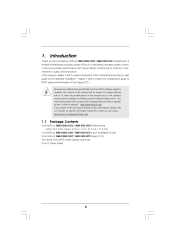
... information about the model you are using. www.asrock.com/support/index.asp
1.1
P ack age Contents ackage
One ASRock N68-VGS3 UCC / N68-VS3 UCC Motherboard (Micro ATX Form Factor: 8.5-in x 7.0-in, 21.6 cm x 17.8 cm) One ASRock N68-VGS3 UCC / N68-VS3 UCC Quick Installation Guide One ASRock N68-VGS3 UCC / N68-VS3 UCC Support CD Two Serial ATA (SATA) Data Cables (Optional) One I/O Panel Shield
5
User Manual - Page 7
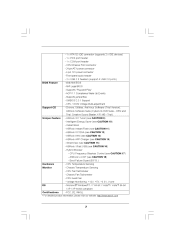
...- 24 pin ATX power connector - 4 pin 12V power connector - Front panel audio header - 2 x USB 2.0 headers (support 4 USB 2.0 ports) - 4Mb AMI BIOS - AMI Legal BIOS - Supports "Plug and Play" - ACPI 1.1 Compliance Wake Up Events - Supports jumperfree - SMBIOS 2.3.1 Support - CPU, VCCM Voltage Multi-adjustment - Drivers, Utilities, AntiVirus Software (Trial Version), ASRock Software Suite (CyberLink...
User Manual - Page 8
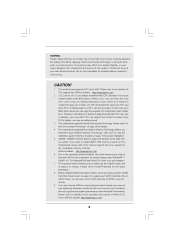
... maximum shared memory size is defined by the chipset vendor and is subject to change. Please check NVIDIA ® website for the latest information. 8. Before installing SATAII hard disk to SATAII connector, please read the "SATAII Hard Disk Setup Guide" on page 24 to adjust your SATAII hard disk drive to SATAII mode. You can also connect SATA hard disk to...
User Manual - Page 9
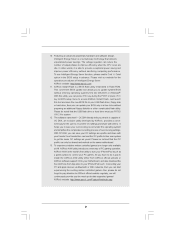
... a BIOS flash utility embedded in Flash ROM. This convenient BIOS update tool allows you to update system BIOS without entering operating systems first like MS-DOS or Windows ®. With this utility, you can press key during the POST or press key to BIOS setup menu to access ASRock Instant Flash. Just launch this tool and save the new BIOS file to your USB flash drive, floppy disk...
User Manual - Page 10
...bit, and your browser version is IE8. ASRock website: http://www.asrock.com/Feature/SmartView/index.asp 16. ASRock XFast USB can boost USB storage device performance. The performance may depend on the property of the device. 17. Although this motherboard offers stepless control, it is not recommended to perform over-clocking. Frequencies other than the recommended CPU bus frequencies may cause the...
User Manual - Page 18
... BIOS setup, the default value of "Share Memory", [Auto], will disable onboard VGA/D-Sub function when the add-on VGA card is inserted to this motherboard. 4. Install the onboard VGA driver to your system. If you have installed the onboard VGA driver already, there is no need to install it again. 5. Set up a multi-monitor display. For Windows® XP / XP 64-bit OS: Right click the desktop...
User Manual - Page 24
... Hard Disk Setup Guide SAT
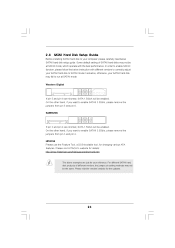
Before installing SATAII hard disk to your computer, please carefully read below SATAII hard disk setup guide. Some default setting of SATAII hard disks may not be at SATAII mode, which operate with the best performance. In order to enable SATAII function, please follow the below instruction with different vendors to correctly adjust your SATAII hard disk to...
User Manual - Page 28
...you still need to set up "SATA Operation Mode" to [RAID] in BIOS first. Then, please set the RAID configuration by using the Windows RAID installation guide in the following path in the Support CD: .. \ RAID Installation Guide NOTE. For Windows® 7 / 7 64-bit users, you do not need to load RAID driver from ASRock support CD. Please use the native driver to install Windows® 7 / 7 64-bit OS...
User Manual - Page 30
...
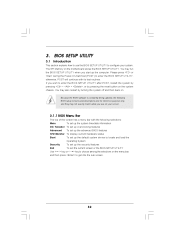
This section explains how to use the BIOS SETUP UTILITY to configure your system. The SPI Memory on the motherboard stores the BIOS SETUP UTILITY. You may run the BIOS SETUP UTILITY when you start up the computer. Please press or during the Power-On-Self-Test (POST) to enter the BIOS SETUP UTILITY, otherwise, POST will continue with its test routines...
User Manual - Page 52
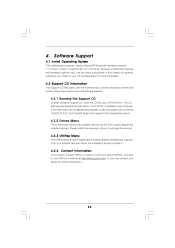
...-ROM drive. The CD automatically displays the Main Menu if "AUTORUN" is enabled in your computer. If the Main Menu did not appear automatically, locate and double click on the file "ASSETUP.EXE" from the BIN folder in the Support CD to display the menus.
4.2.2 Drivers Menu
The Drivers Menu shows the available devices drivers if the system detects the installed devices...
Quick Installation Guide - Page 5
.... www.asrock.com/support/index.asp
1.1 Package Contents
One ASRock N68-VGS3 UCC / N68-VS3 UCC Motherboard (Micro ATX Form Factor: 8.5-in x 7.0-in, 21.6 cm x 17.8 cm)
One ASRock N68-VGS3 UCC / N68-VS3 UCC Quick Installation Guide One ASRock N68-VGS3 UCC / N68-VS3 UCC Support CD Two Serial ATA (SATA) Data Cables (Optional) One I/O Panel Shield
5 ASRock N68-VGS3 UCC / N68-VS3 UCC Motherboard
English
Quick Installation Guide - Page 7
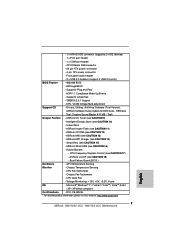
...12V power connector
- Front panel audio header
- 2 x USB 2.0 headers (support 4 USB 2.0 ports)
BIOS Feature
- 4Mb AMI BIOS
- AMI Legal BIOS
- Supports "Plug and Play"
- ACPI 1.1 Compliance Wake Up Events
- Supports jumperfree
- SMBIOS 2.3.1 Support
- CPU, VCCM Voltage Multi-adjustment
Support CD
- Drivers, Utilities, AntiVirus Software (Trial Version),
ASRock Software Suite (CyberLink...
Quick Installation Guide - Page 8
... for the latest information.
8. Before installing SATAII hard disk to SATAII connector, please read the "SATAII Hard Disk Setup Guide" on page 24 of "User Manual" in the support CD to adjust your SATAII hard disk drive to SATAII mode. You can also connect SATA hard disk to SATAII connector directly.
9. It is a user-friendly ASRock overclocking tool which allows you to...
Quick Installation Guide - Page 9
... your PC and apple devices via Bluetooth or WiFi networks, then you can start experiencing the exciting motion controlled games. Also, please do not forget to pay attention to ASRock official website regularly, we will continuously provide you the most up-do-date supported games! ASRock website: http://www.asrock.com/Feature/Aiwi/index.asp
9 ASRock N68-VGS3 UCC / N68-VS3 UCC Motherboard
English
Quick Installation Guide - Page 10
...bit, and your browser version is IE8. ASRock website: http://www.asrock.com/Feature/SmartView/index.asp
16. ASRock XFast USB can boost USB storage device performance. The performance may depend on the property of the device.
17. Although this motherboard offers stepless control, it is not recommended to perform over-clocking. Frequencies other than the recommended CPU bus frequencies may cause the...
Quick Installation Guide - Page 15
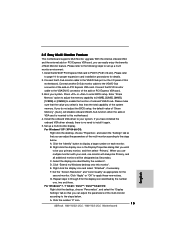
... BIOS setup, the default value of "Share Memory", [Auto], will disable onboard VGA/D-Sub function when the add-on VGA card is inserted to this motherboard. 4. Install the onboard VGA driver to your system. If you have installed the onboard VGA driver already, there is no need to install it again. 5. Set up a multi-monitor display. For Windows® XP / XP 64-bit OS:
Right click the desktop...
Quick Installation Guide - Page 20
....
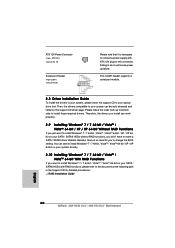
2.10 Installing Windows® 7 / 7 64-bit / VistaTM / VistaTM 64-bit With RAID Functions
If you want to install Windows® 7 / 7 64-bit / VistaTM / VistaTM 64-bit on your SATA / SATAII HDDs with RAID functions, please refer to the document at the following path in the Support CD for detailed procedures: ..\ RAID Installation Guide
English
20 ASRock N68-VGS3 UCC / N68-VS3 UCC Motherboard
Quick Installation Guide - Page 21
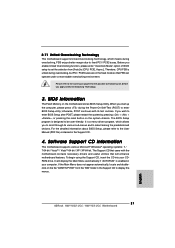
... PCI / PCIE buses are in the fixed mode so that FSB can operate under a more stable overclocking environment.
Please refer to the warning on page 8 for the possible overclocking risk before you apply Untied Overclocking Technology.
3. BIOS Information
The Flash Memory on the motherboard stores BIOS Setup Utility. When you start up the computer, please press during the Power-On...