
Acer Aspire 7520G driver and firmware
Drivers and firmware downloads for this Acer Computers item
Related Acer Aspire 7520G Manual Pages
Download the free PDF manual for Acer Aspire 7520G and other Acer manuals at ManualOwl.com
Aspire 7520 / 7520G User's Guide EN - Page 13
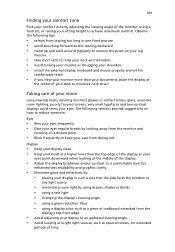
...• avoid tensing your muscles or shrugging your shoulders • install the external display, keyboard and mouse properly and within
comfortable reach
• if you view your ...graphics clarity.
• Eliminate glare and reflections by: • placing your display in such a way that the side faces the window or
any light source
• minimizing room light by using drapes, shades ...
Aspire 7520 / 7520G User's Guide EN - Page 19
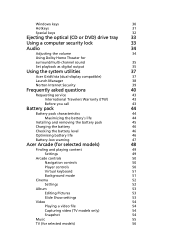
... the optical (CD or DVD) drive tray
33
Using a computer security lock
33
Audio
34
Adjusting the volume
34
Using Dolby Home Theater for
surround/multi-channel sound
35
Set playback as digital output
35
Using the system utilities
37
Acer GridVista (dual-display compatible)
37
Launch Manager
38
Norton Internet Security
39
Frequently asked questions
40
Requesting service
43...
Aspire 7520 / 7520G User's Guide EN - Page 21
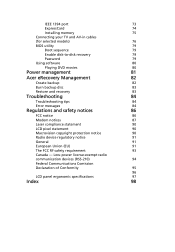
IEEE 1394 port
73
ExpressCard
74
Installing memory
75
Connecting your TV and AV-in cables
(for selected models)
76
BIOS utility
79
Boot sequence
79
Enable disk-to-disk recovery
79
Password
79
Using software
80
Playing DVD movies
80
Power management
81
Acer eRecovery Management
82
Create backup
82
Burn backup disc
83
Restore and recovery
83
Troubleshooting
84
...
Aspire 7520 / 7520G User's Guide EN - Page 36
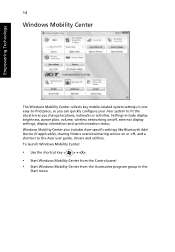
... or activities. Settings include display brightness, power plan, volume, wireless networking on/off, external display settings, display orientation and synchronization status. Windows Mobility Center also includes Acer-specific settings like Bluetooth Add Device (if applicable), sharing folders overview/sharing service on or off, and a shortcut to the Acer user guide, drivers and utilities. To...
Aspire 7520 / 7520G User's Guide EN - Page 43
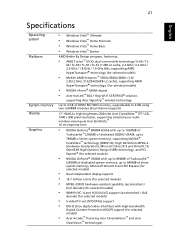
... nForce® 630M chipset
• Acer InviLink™ 802.11b/g Wi-Fi CERTIFIED® solution,
supporting Acer SignalUp™ wireless technology
Up to 2 GB of DDR2 667 MHz memory, upgradeable to 4 GB using two soDIMM modules (dual-channel support)
17" WXGA+ high-brightness (200-nits) Acer CrystalBrite™ TFT LCD, 1440 x 900 pixel resolution, supporting simultaneous multiwindow viewing via...
Aspire 7520 / 7520G User's Guide EN - Page 63
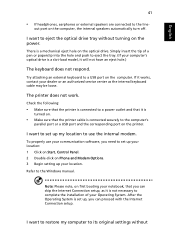
... use your communication software, you need to set up your location: 1 Click on Start, Control Panel. 2 Double-click on Phone and Modem Options. 3 Begin setting up your location. Refer to the Windows manual.
Note: Please note, on first booting your notebook, that you can skip the Internet Connection setup, as it is not necessary to complete the installation of your Operating...
Aspire 7520 / 7520G User's Guide EN - Page 64
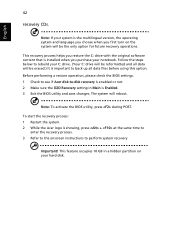
... software content that is installed when you purchase your notebook. Follow the steps below to rebuild your C: drive. (Your C: drive will be reformatted and all data will be erased.) It is important to back up all data files before using this option. Before performing a restore operation, please check the BIOS settings. 1 Check to see if Acer disk-to-disk recovery...
Aspire 7520 / 7520G User's Guide EN - Page 68
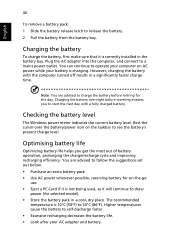
...sure that it is correctly installed in the battery bay. Plug the AC adapter into the computer, and connect to a mains power outlet. You can continue to operate your computer on AC power while your battery is ...to follow the suggestions set out below: • Purchase an extra battery pack. • Use AC power whenever possible, reserving battery for on-the-go
use. • Eject a PC Card if it is ...
Aspire 7520 / 7520G User's Guide EN - Page 85
... last channel viewed will be displayed full screen.
SportsCap (selected models only)
SportsCap is a revolutionary way of watching your sports videos. It automatically detects highlights of the most memorable moments in sports from your recorded games.
Note: The sports types available in your version of SportsCap depend on the version and modules installed on your computer.
Aspire 7520 / 7520G User's Guide EN - Page 102
...
Using software
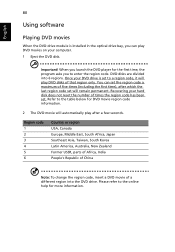
Playing DVD movies
When the DVD drive module is installed in the optical drive bay, you can play DVD movies on your computer. 1 Eject the DVD disk.
Important! When you launch the DVD player for the first time, the program asks you to enter the region code. DVD disks are divided into 6 regions. Once your DVD drive is set...
Aspire 7520 / 7520G User's Guide EN - Page 104
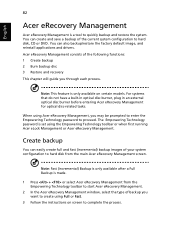
... save a backup of the current system configuration to hard disk, CD or DVD. You can also backup/restore the factory default image, and reinstall applications and drivers. Acer eRecovery Management consists of the following functions: 1 Create backup 2 Burn backup disc 3 Restore and recovery This chapter will guide you through each process.
Note: This feature is...
Aspire 7520 / 7520G User's Guide EN - Page 105
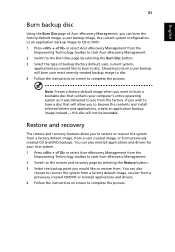
... toolbar to start Acer eRecovery Management. 2 Switch to the restore and recovery page by selecting the Restore button. 3 Select the backup point you would like to restore from. You can also
choose to recover the system from a factory default image, recover from a previously created CD/DVD or reinstall applications and drivers. 4 Follow the instructions on screen...
Aspire 7520 / 7520G User's Guide EN - Page 120
... 44 charging 46 checking charge level 46 installing 45 low conditions 47 maximizing life 44 optimizing 46 removing 46 using the first time 44
BIOS utility 79 brightness
hotkeys 31
C
caps lock 29 on indicator 25
care AC adapter xvi battery pack xvii computer xvi
CD-ROM ejecting manually 41 troubleshooting 41
charging checking level 46...
Aspire 7520 / 7520G User's Guide EN - Page 121
99
English
memory installing 75
messages error 84
modem 71
N
network 72 Notebook Manager
hotkey 31 num lock 29
on indicator 25 numeric keypad
embedded 30
P
password 69 types 69
ports 71 printer
troubleshooting 41 problems 40
CD-ROM 41 display 40 keyboard 41 printer 41 startup 40 troubleshooting 84
Q
questions setting location for modem use 41
S
safety
CD or DVD 90 modem notices 87 scroll...
Aspire 7520 / 7520G Service Guide - Page 7
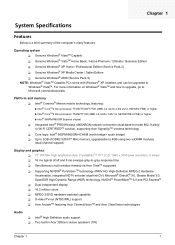
.../965GM Express chipset
T Integrated Intel® PRO/Wireless 4965ABGN network connection (dual-band tri-mode 802.11a/b/g/ n) Wi-Fi CERTIFIEDTM solution, supporting Acer SignalUpTM wireless technology
T Core logic: Intel® 965PM/965GM+ICH8M (north bridge+ south bridge) T Up to 2GB of DDR2 533/677 MHz memory, upgradeable to 4GB using two soDIMM modules
(dual-channel support)
Display and graphics...
Aspire 7520 / 7520G Service Guide - Page 47
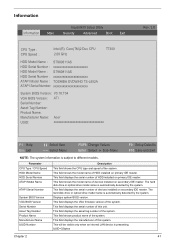
...model name of devices installed on secondary IDE master. The hard disk drive or optical drive model name is automatically detected by the system. This field displays the serial number of devices installed on secondary IDE master. The hard disk drive or optical drive model name is automatically detected by the system. Displays system BIOS version. This field displays the VGA firmware version of the...
Aspire 7520 / 7520G Service Guide - Page 57
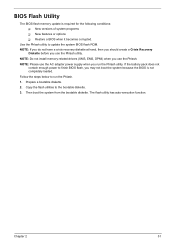
... the Phlash utility to update the system BIOS flash ROM. NOTE: If you do not have a crisis recovery diskette at hand, then you should create a Crisis Recovery
Diskette before you use the Phlash utility. NOTE: Do not install memory-related drivers (XMS, EMS, DPMI) when you use the Phlash. NOTE: Please use the AC adapter power supply when you run the...
Aspire 7520 / 7520G Service Guide - Page 78
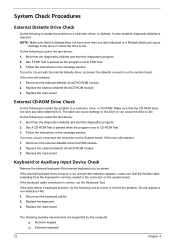
... instructions in the message window. If an error occurs with the internal diskette drive, reconnect the diskette connector on the system board. If the error still remains: 1. Reconnect the external diskette drive/DVD-ROM module. 2. Replace the external diskette drive/CD-ROM module. 3. Replace the main board.
External CD-ROM Drive Check
Do the following to isolate the problem to a controller, drive...
Aspire 7520 / 7520G Service Guide - Page 79
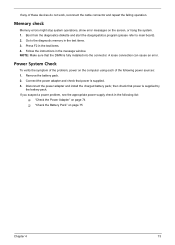
... to main board). 2. Go to the diagnostic memory in the test items. 3. Press F2 in the test items. 4. Follow the instructions in the message window. NOTE: Make sure that the DIMM is fully installed into the connector. A loose connection can cause an error.
Power System Check
To verify the symptom of the problem, power on the computer using each...
Aspire 7520 / 7520G Service Guide - Page 92
...
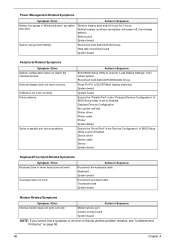
Reconnect hard disk/CD-ROM drives. Hard disk connection board System board
Peripheral-Related Symptoms
Symptom / Error System configuration does not match the installed devices. External display does not work correctly. USB does not work correctly Print problems.
Serial or parallel port device problems.
Action in Sequence
Enter BIOS Setup Utility to execute "Load Default Settings", then reboot...