
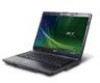
Acer Extensa 5620 driver and firmware
Drivers and firmware downloads for this Acer Computers item
Related Acer Extensa 5620 Manual Pages
Download the free PDF manual for Acer Extensa 5620 and other Acer manuals at ManualOwl.com
Extensa 5620/5610/5210/5220 Users Guide EN - Page 10
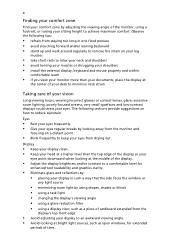
...• avoid tensing your muscles or shrugging your shoulders • install the external display, keyboard and mouse properly and within
comfortable reach
• if you view your ...graphics clarity.
• Eliminate glare and reflections by: • placing your display in such a way that the side faces the window or
any light source
• minimizing room light by using drapes, shades ...
Extensa 5620/5610/5210/5220 Users Guide EN - Page 16
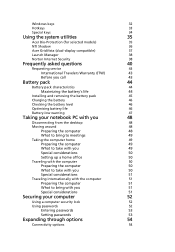
...for selected models)
35
NTI Shadow
36
Acer GridVista (dual-display compatible)
37
Launch Manager
38
Norton Internet Security
38
Frequently asked questions
40
Requesting service
43
International Travelers Warranty (ITW)
43
Before you call
43
Battery pack
44
Battery pack characteristics
44
Maximizing the battery's life
44
Installing and removing the battery pack
45
Charging...
Extensa 5620/5610/5210/5220 Users Guide EN - Page 17
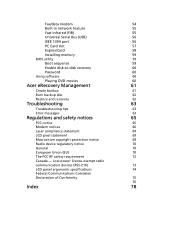
Fax/data modem
54
Built-in network feature
55
Fast Infrared (FIR)
55
Universal Serial Bus (USB)
56
IEEE 1394 port
56
PC Card slot
57
ExpressCard
58
Installing memory
59
BIOS utility
59
Boot sequence
59
Enable disk-to-disk recovery
60
Password
60
Using software
60
Playing DVD movies
60
Acer eRecovery Management
61
Create backup
61
Burn backup disc
62
Restore and ...
Extensa 5620/5610/5210/5220 Users Guide EN - Page 30
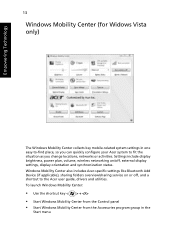
..., networks or activities. Settings include display brightness, power plan, volume, wireless networking on/off, external display settings, display orientation and synchronization status. Windows Mobility Center also includes Acer-specific settings like Bluetooth Add Device (if applicable), sharing folders overview/sharing service on or off, and a shortcut to the Acer user guide, drivers and...
Extensa 5620/5610/5210/5220 Users Guide EN - Page 52
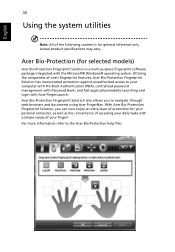
... may vary.
Acer Bio-Protection (for selected models)
Acer Bio-Protection Fingerprint Solution is a multi-purpose fingerprint software
package integrated with the Microsoft® Windows® operating system. Utilizing
the uniqueness of one's fingerprint features, Acer Bio-Protection Fingerprint
Solution has incorporated protection against unauthorized access to your
computer with Pre-Boot...
Extensa 5620/5610/5210/5220 Users Guide EN - Page 58
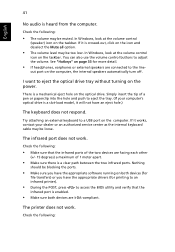
... the tray. (If your computer's optical drive is a slot-load model, it will not have an eject hole.)
The keyboard does not respond.
Try attaching an external keyboard to a USB port on the computer. If it works, contact your dealer or an authorized service center as the internal keyboard cable may be loose.
The infrared port does not work.
Check...
Extensa 5620/5610/5210/5220 Users Guide EN - Page 59
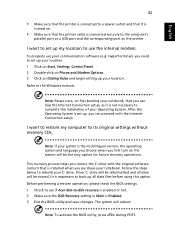
... software (e.g. HyperTerminal), you need to set up your location: 1 Click on Start, Settings, Control Panel. 2 Double-click on Phone and Modem Options. 3 Click on Dialing Rules and begin setting up your location. Refer to the Windows manual.
Note: Please note, on first booting your notebook, that you can skip the Internet Connection setup, as it is not necessary to complete the installation...
Extensa 5620/5610/5210/5220 Users Guide EN - Page 63
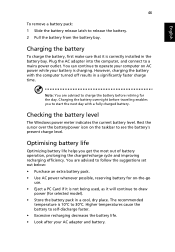
...sure that it is correctly installed in the battery bay. Plug the AC adapter into the computer, and connect to a mains power outlet. You can continue to operate your computer on AC power while your battery is ...to follow the suggestions set out below: • Purchase an extra battery pack. • Use AC power whenever possible, reserving battery for on-the-go
use. • Eject a PC Card if it is ...
Extensa 5620/5610/5210/5220 Users Guide EN - Page 77
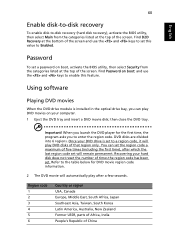
....
Password
To set a password on boot, activate the BIOS utility, then select Security from the categories listed at the top of the screen. Find Password on boot: and use the and keys to enable this feature.
Using software
Playing DVD movies
When the DVD drive module is installed in the optical drive bay, you can play DVD movies on your computer...
Extensa 5620/5610/5210/5220 Users Guide EN - Page 78
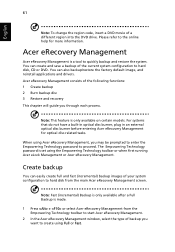
... save a backup of the current system configuration to hard disk, CD or DVD. You can also backup/restore the factory default image, and reinstall applications and drivers. Acer eRecovery Management consists of the following functions: 1 Create backup 2 Burn backup disc 3 Restore and recovery This chapter will guide you through each process.
Note: This feature is...
Extensa 5620/5610/5210/5220 Users Guide EN - Page 79
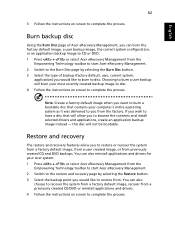
... toolbar to start Acer eRecovery Management. 2 Switch to the restore and recovery page by selecting the Restore button. 3 Select the backup point you would like to restore from. You can also
choose to recover the system from a factory default image, recover from a previously created CD/DVD or reinstall applications and drivers. 4 Follow the instructions on screen...
Extensa 5620/5610/5210/5220 Users Guide EN - Page 95
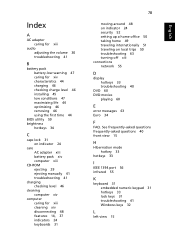
... charging 46 checking charge level 46 installing 45 low conditions 47 maximizing life 44 optimizing 46 removing 46 using the first time 44
BIOS utility 59 brightness
hotkeys 34
C
caps lock 31 on indicator 24
care AC adapter xiii battery pack xiv computer xiii
CD-ROM ejecting 29 ejecting manually 41 troubleshooting 41
charging checking level...
Extensa 5620/5610/5210/5220 Users Guide EN - Page 96
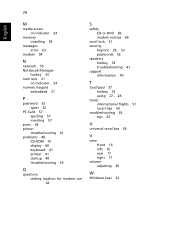
... on indicator 24
memory installing 59
messages error 63
modem 54
N
network 55 Notebook Manager
hotkey 33 num lock 31
on indicator 24 numeric keypad
embedded 31
P
password 52 types 52
PC Card 57 ejecting 57 inserting 57
ports 54 printer
troubleshooting 41 problems 40
CD-ROM 41 display 40 keyboard 41 printer 41 startup 40 troubleshooting 63
Q
questions setting location for modem use 42...
Service Guide for TravelMate 5320, 5720, 5720G, Extensa 5220, 5620 - Page 11
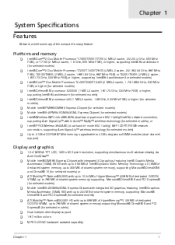
...Fi CERTIFIED® network connection, supporting Acer SignalUp™ wireless technology (for selected models) Up to 2 GB of DDR2 667 MHz memory, upgradeable to 4 GB using two soDIMM modules (dual-channel support)
K
K K K K K K K K
Display and graphics
K K
15.4" WXGA TFT LCD, 1280 x 800 pixel resolution, supporting simultaneous multi-window viewing via Acer GridVista™ Mobile Intel®...
Service Guide for TravelMate 5320, 5720, 5720G, Extensa 5220, 5620 - Page 35
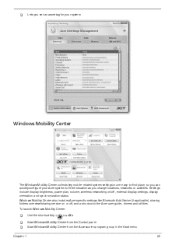
... or activities. Settings include display brightness, power plan, volume, wireless networking on/off, external display settings, display orientation and synchronization status. Windows Mobility Center also includes Acer-specific settings like Bluetooth Add Device (if applicable), sharing folders overview/sharing service on or off, and a shortcut to the Acer user guide, drivers and utilities. To...
Service Guide for TravelMate 5320, 5720, 5720G, Extensa 5220, 5620 - Page 36
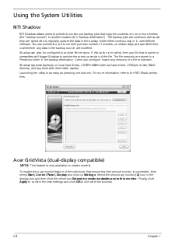
.... Users can configure how many versions of a file to maintain. Shadow supports backups on local hard drives, USB/FireWire external hard drives, USB pen drives, NAS devices, and any drive with drive letter access. Launching the utility is as easy as pressing one buttons. For more information refer to the NTI Shadow help files.
Acer GridVista (dual-display compatible)
NOTE: This feature...
Service Guide for TravelMate 5320, 5720, 5720G, Extensa 5220, 5620 - Page 51
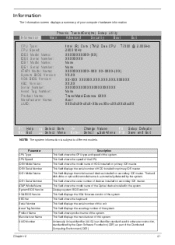
... the mofel name of devices installed on secondary IDE master. The hard disk drive or optical drive model name is automatically detected by the system. This field shows the serial number of devices installed on secondary IDE master. This field shows the model name of the Optical device installed in the system. Displays system BIOS version. This field displays the VGA firmware version of the system...
Service Guide for TravelMate 5320, 5720, 5720G, Extensa 5220, 5620 - Page 61
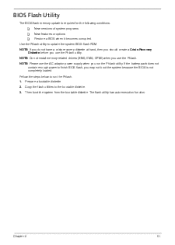
... conditions:
K K K
New versions of system programs New features or options Restore a BIOS when it becomes corrupted.
Use the Phlash utility to update the system BIOS flash ROM. NOTE: If you do not have a crisis recovery diskette at hand, then you should create a Crisis Recovery Diskette before you use the Phlash utility. NOTE: Do not install memory-related drivers (XMS, EMS, DPMI...
Service Guide for TravelMate 5320, 5720, 5720G, Extensa 5220, 5620 - Page 127
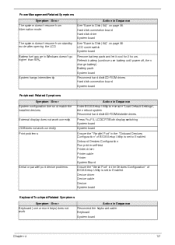
... / Error System configuration does not match the installed devices. External display does not work correctly. USB does not work correctly Print problems. Action in Sequence Enter BIOS Setup Utility to execute "Load Default Settings", then reboot system. Reconnect hard disk/CD-ROM/diskette drives. Press Fn+F5, LCD/CRT/Both display switching System board System board Ensure the "Parallel Port" in...
Service Guide for TravelMate 5320, 5720, 5720G, Extensa 5220, 5620 - Page 179
... can be obtained directly from Acer CSD Taiwan. Acer's Website offers you convenient and valuable support resources whenever you need them. In the Technical Information section you can download information on all of Acer's Notebook, Desktop and Server models including:
K K K K K K K
Service guides for all models User's manuals Training materials Bios updates Software utilities Spare parts lists...