
Dell Studio 1747 driver and firmware
Related Dell Studio 1747 Manual Pages
Download the free PDF manual for Dell Studio 1747 and other Dell manuals at ManualOwl.com
Dell™ Technology Guide - Page 9
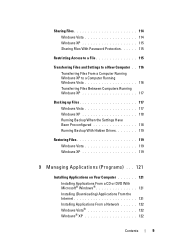
... Settings Have Been Preconfigured 118 Running Backup With Hidden Drives 119
Restoring Files 119 Windows Vista 119 Windows XP 119
9 Managing Applications (Programs) . . . 121
Installing Applications on Your Computer 121
Installing Applications From a CD or DVD With Microsoft® Windows 121 Installing (Downloading) Applications From the Internet 121 Installing Applications From a Network...
Dell™ Technology Guide - Page 75
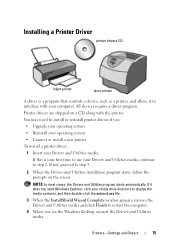
Installing a Printer Driver
printer drivers CD
inkjet printer
laser printer
A driver is a program that controls a device, such as a printer, and allows it to interface with your computer. All devices require a driver program.
Printer drivers are shipped on a CD along with the printer.
You may need to install or reinstall printer drivers if you:
• Upgrade your operating system
• ...
Dell™ Technology Guide - Page 79
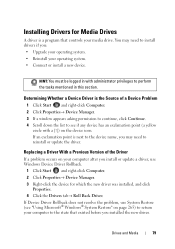
..., you may need to reinstall or update the driver.
Replacing a Driver With a Previous Version of the Driver
If a problem occurs on your computer after you install or update a driver, use Windows Device Driver Rollback.
1 Click Start and right-click Computer. 2 Click Properties→ Device Manager. 3 Right-click the device for which the new driver was installed, and click
Properties. 4 Click the...
Dell™ Technology Guide - Page 80
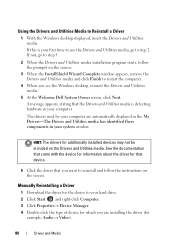
... about the driver for that device.
6 Click the driver that you want to reinstall and follow the instructions on the screen.
Manually Reinstalling a Driver
1 Download the driver for the device to your hard drive. 2 Click Start and right-click Computer. 3 Click Properties→ Device Manager. 4 Double-click the type of device for which you are installing the driver (for
example, Audio or Video...
Dell™ Technology Guide - Page 81
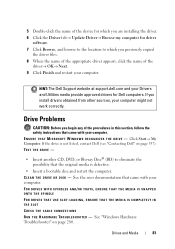
... device for which you are installing the driver.
6 Click the Driver tab→ Update Driver→ Browse my computer for driver software.
7 Click Browse, and browse to the location to which you previously copied the driver files.
8 When the name of the appropriate driver appears, click the name of the driver→ OK→ Next.
9 Click Finish and restart your computer.
HINT: The Dell Support...
Dell™ Technology Guide - Page 107
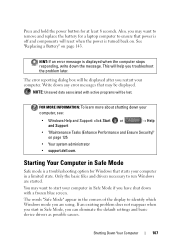
... shut down with a frozen blue screen.
The words "Safe Mode" appear in the corners of the display to identify which Windows mode you are using. If an existing problem does not reappear when you start in Safe Mode, you can eliminate the default settings and basic device drivers as possible causes.
Shutting Down Your Computer
107
Dell™ Technology Guide - Page 116
...
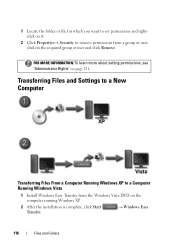
FOR MORE INFORMATION: To learn more about setting permissions, see "Administrator Rights" on page 251.
Transferring Files and Settings to a New Computer
Transferring Files From a Computer Running Windows XP to a Computer Running Windows Vista
1 Install Windows Easy Transfer from the Windows Vista DVD on the computer running Windows XP.
2 After the installation is complete, click Start Transfer...
Dell™ Technology Guide - Page 154
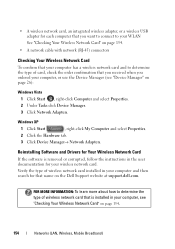
... tab.
3 Click Device Manager→ Network Adapters.
Reinstalling Software and Drivers for Your Wireless Network Card
If the software is removed or corrupted, follow the instructions in the user documentation for your wireless network card.
Verify the type of wireless network card installed in your computer and then search for that name on the Dell Support website at support.dell.com.
FOR MORE...
Dell™ Technology Guide - Page 163

...; Network and Internet Connections.
2 Select the Windows Firewall icon.
3 If the Firewall option is disabled, select this option to enable the firewall.
Software companies regularly update their products to add security fixes. Install the latest version of your Internet browser and operating systems on all computers on your network, and check for updates regularly.
Networks (LAN, Wireless, Mobile...
Dell™ Technology Guide - Page 166
....
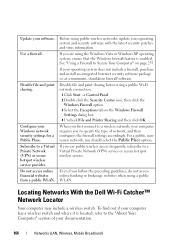
Disable file and print sharing.
Configure your Windows network security settings for a Public Place. Subscribe to a Virtual Private Network (VPN) or secure hotspot wireless service provider. Do not access online financial websites from a public WLAN.
Before using public wireless networks, update your operating system and security software with the latest security patches and virus information...
Dell™ Technology Guide - Page 196
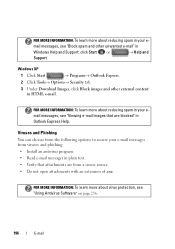
... in
Windows Help and Support: click Start or
→ Help and
Support.
Windows XP
1 Click Start
→ Programs→ Outlook Express.
2 Click Tools→ Options→ Security tab.
3 Under Download Images,...from the following options to secure your e-mail messages from viruses and phishing: • Install an antivirus program. • Read e-mail messages in plain text. • Verify...
Dell™ Technology Guide - Page 243
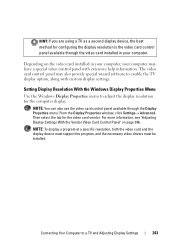
... window, click Settings→ Advanced. Then select the tab for the video card vendor. For more information, see "Adjusting Display Settings With the Vendor Video Card Control Panel" on page 246.
NOTE: To display a program at a specific resolution, both the video card and the display device must support the program, and the necessary video drivers must be installed.
Connecting Your Computer...
Dell™ Technology Guide - Page 269
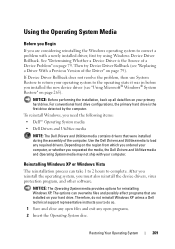
... system, you must also reinstall the device drivers, virus protection program, and other software.
NOTICE: The Operating System media provides options for reinstalling Windows XP. The options can overwrite files and possibly affect programs that are installed on your hard drive. Therefore, do not reinstall Windows XP unless a Dell technical support representative instructs you to do so.
1 Save and...
Dell™ Technology Guide - Page 285
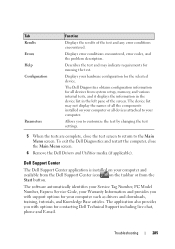
...).
Dell Support Center
The Dell Support Center application is installed on your computer and available from the Dell Support Center icon on the taskbar or from the Start button.
The software automatically identifies your Service Tag Number, PC Model Number, Express Service Code, your Warranty Information and provides you with support options for your computer such as drivers and downloads...
Dell™ Technology Guide - Page 286
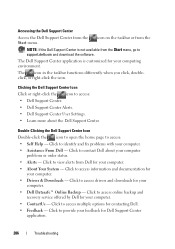
... for your computer.
• Drivers & Downloads - Click to access drivers and downloads for your computer.
• Dell Datasafe™ Online Backup - Click to access online backup and recovery service offered by Dell for your computer.
• ContactUs - Click to access multiple options for contacting Dell.
• Feedback - Click to provide your feedback for Dell Support Center application...
Dell™ Technology Guide - Page 294
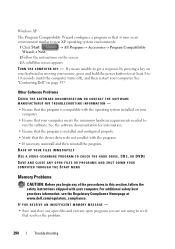
... to run the software. See the software documentation for information.
• Ensure that the program is installed and configured properly. • Verify that the device drivers do not conflict with the program. • If necessary, uninstall and then reinstall the program. BACK UP YOUR FILES IMMEDIATELY
USE A VIRUS-SCANNING PROGRAM TO CHECK THE HARD DRIVE, CDS, OR...
Dell™ Technology Guide - Page 311
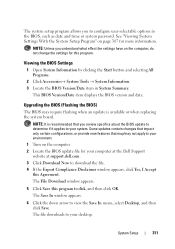
.../may not apply to your environment. 1 Turn on the computer. 2 Locate the BIOS update file for your computer at the Dell Support website at support.dell.com. 3 Click Download Now to download the file. 4 If the Export Compliance Disclaimer window appears, click Yes, I Accept this Agreement. The File Download window appears.
5 Click Save this program to disk, and then click OK. The Save In...
Dell™ Technology Guide - Page 350
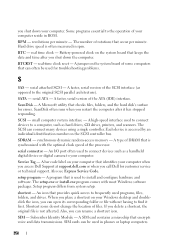
... the SCSI controller bus.
SDRAM - synchronous dynamic random-access memory - A type of DRAM that is synchronized with the optimal clock speed of the processor.
serial connector - An I/O port often used to connect devices such as a handheld digital device or digital camera to your computer.
Service Tag - A bar code label on your computer that identifies your computer when you access Dell Support at...
Dell™ Technology Guide - Page 351
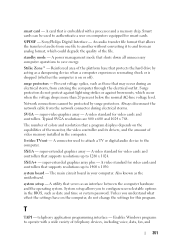
... of colors and resolution that a program displays depends on the capabilities of the monitor, the video controller and its drivers, and the amount of video memory installed in the computer.
S-video TV-out - A connector used to attach a TV or digital audio device to the computer.
SXGA - super-extended graphics array - A video standard for video cards and controllers that supports resolutions up to...
Dell™ Technology Guide - Page 353
...The background pattern or picture on the Windows desktop. Change your wallpaper through the Windows Control Panel. You can also scan in your favorite picture and make it wallpaper. WLAN - wireless local area network. A series of interconnected computers that communicate with each other over the air waves using access points or wireless routers to provide Internet access. write-protected - Files or...