
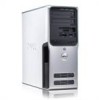
Dell XPS 400 driver and firmware
Related Dell XPS 400 Manual Pages
Download the free PDF manual for Dell XPS 400 and other Dell manuals at ManualOwl.com
Owner's Manual - Page 4
...
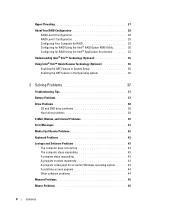
Drive Problems 38 CD and DVD drive problems 38 Hard drive problems 39
E-Mail, Modem, and Internet Problems 39
Error Messages 41
Media Card Reader Problems 42
Keyboard Problems 42
Lockups and Software Problems 43 The computer does not start up 43 The computer stops responding 43 A program stops responding 43 A program crashes repeatedly 43 A program is designed for an earlier Windows...
Owner's Manual - Page 5
... 56
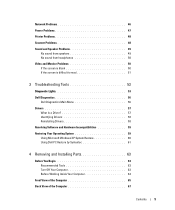
Dell Diagnostics Main Menu 56 Drivers 57
What Is a Driver 57 Identifying Drivers 58 Reinstalling Drivers 58 Resolving Software and Hardware Incompatibilities 59 Restoring Your Operating System 59 Using Microsoft Windows XP System Restore 60 Using Dell PC Restore by Symantec 61
4 Removing and Installing Parts 63
Before You Begin 63 Recommended Tools 63 Turn Off Your Computer 63...
Owner's Manual - Page 7
... 113 Overview 113 Entering System Setup 114 System Setup Options 116 Boot Sequence 119
Clearing Forgotten Passwords 121
Clearing CMOS Settings 122
Cleaning Your Computer 122 Computer, Keyboard, and Monitor 122 Mouse 123 Floppy Drive 123 CDs and DVDs 123
Dell Technical Support Policy (U.S. Only 123 Definition of "Dell-Installed" Software and Peripherals 124 Definition of "Third-Party...
Owner's Manual - Page 11
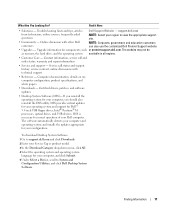
...inch USB floppy drives, Intel® Pentium® M processors, optical drives, and USB devices. DSS is necessary for correct operation of your Dell computer. The software automatically detects your computer and operating system and installs the updates appropriate for your configuration.
To download Desktop System Software: 1 Go to support.dell.com and click Downloads.
2 Enter your Service Tag...
Owner's Manual - Page 13
...Your Computer
Setting Up a Printer
NOTICE: Complete the operating system setup before you connect a printer to the computer. See the documentation that came with the printer for setup information, including how to: • Obtain and install updated drivers • Connect the printer to the computer • Load paper and install the toner or ink cartridge • Contact the printer manufacturer...
Owner's Manual - Page 14
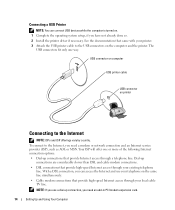
... through your existing telephone line. With a DSL connection, you can access the Internet and use your telephone on the same line simultaneously.
• Cable modem connections that provide high-speed Internet access through your local cable TV line.
NOTE: If you use a dial-up connection, you need an add-in PCI modem expansion card.
14
Setting Up and Using Your Computer
Owner's Manual - Page 18
...-right corner of the window.
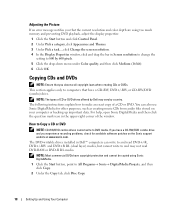
How to Copy a CD or DVD
NOTE: CD-RW/DVD combo drives cannot write to DVD media. If you have a CD-RW/DVD combo drive and you experience recording problems, check for available software patches on the Sonic support website at www.sonic.com. The DVD-writable drives installed in Dell™ computers can write to...
Owner's Manual - Page 20
....
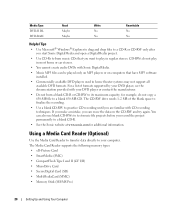
Using a Media Card Reader (Optional)
Use the Media Card Reader to transfer data directly to your computer. The Media Card Reader supports the following memory types: • xD-Picture Card • SmartMedia (SMC) • CompactFlash Type I and II (CF I/II) • MicroDrive Card • SecureDigital Card (SD) • MultiMediaCard (MMC) • Memory Stick (MS/MS Pro)
20
Setting Up and...
Owner's Manual - Page 27
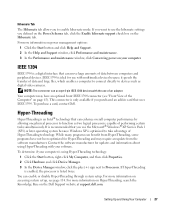
... as digital video cameras.
NOTE: The connector can accept 4-pin IEEE 1394 devices with the use of an adapter.
Your computer may have an optional front IEEE 1394 connector (see "Front View of the Computer" on page 65). This connector is only available if you purchased an add-in card that uses IEEE 1394. To purchase a card, contact Dell...
Owner's Manual - Page 36
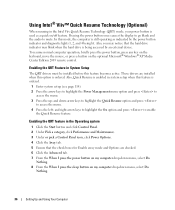
... the hard drive is being accessed by an external device. To resume normal computer operation, briefly press the power button, press any key on the keyboard, move the mouse, or press a button on the optional Microsoft® Windows® XP Media Center Edition 2005 remote control.
Enabling the QRT Feature in System Setup
The QRT drivers must be installed before this...
Owner's Manual - Page 44
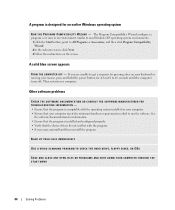
... run the software. See
the software documentation for information. • Ensure that the program is installed and configured properly. • Verify that the device drivers do not conflict with the program. • If necessary, uninstall and then reinstall the program.
BACK UP YOUR FILES IMMEDIATELY
USE A VIRUS-SCANNING PROGRAM TO CHECK THE HARD DRIVE, FLOPPY DISKS, OR CDS...
Owner's Manual - Page 57
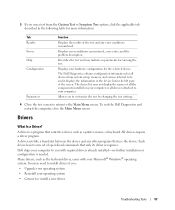
...Drivers
What Is a Driver?
A driver is a program that controls a device such as a printer, mouse, or keyboard. All devices require a driver program.
A driver acts like a translator between the device and any other programs that use the device. Each device has its own set of specialized commands that only its driver recognizes.
Dell ships your computer to you with required drivers already installed...
Owner's Manual - Page 58
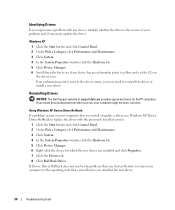
... Dell Support website at support.dell.com provides approved drivers for Dell™ computers. If you install drivers obtained from other sources, your computer might not work correctly.
Using Windows XP Device Driver Rollback If a problem occurs on your computer after you install or update a driver, use Windows XP Device Driver Rollback to replace the driver with the previously installed version...
Owner's Manual - Page 59
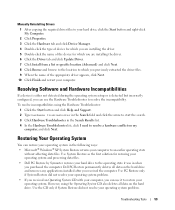
Manually Reinstalling Drivers 1 After copying the required driver files to your hard drive, click the Start button and right-click My Computer. 2 Click Properties. 3 Click the Hardware tab and click Device Manager. 4 Double-click the type of device for which you are installing the driver. 5 Double-click the name of the device for which you are installing the driver. 6 Click the Driver tab and ...
Owner's Manual - Page 60
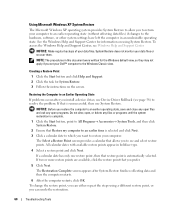
... may not apply if you set your Dell™ computer to the Windows Classic view.
Creating a Restore Point
1 Click the Start button and click Help and Support. 2 Click the task for System Restore. 3 Follow the instructions on the screen.
Restoring the Computer to an Earlier Operating State
If problems occur after you install a device driver, use Device Driver Rollback (see page 58...
Owner's Manual - Page 61
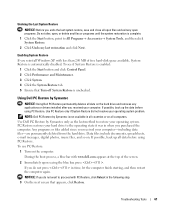
... button and click Control Panel. 2 Click Performance and Maintenance. 3 Click System. 4 Click the System Restore tab. 5 Ensure that Turn off System Restore is unchecked.
Using Dell PC Restore by Symantec
NOTICE: Using Dell PC Restore permanently deletes all data on the hard drive and removes any applications or drivers installed after you received your computer. If possible...
Owner's Manual - Page 63
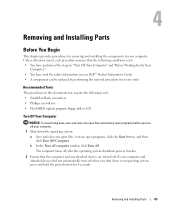
... information in your Dell™ Product Information Guide. • A component can be replaced by performing the removal procedure in reverse order.
Recommended Tools
The procedures in this document may require the following tools: • Small flat-blade screwdriver • Phillips screwdriver • Flash BIOS update program floppy disk or CD
Turn Off Your Computer
NOTICE: To avoid...
Owner's Manual - Page 73
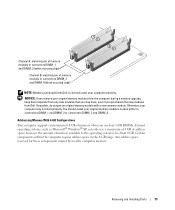
...with a new memory module. Otherwise, your computer may not start properly. You should install your original memory modules in pairs either in connectors DIMM_1 and DIMM_2 or connectors DIMM_3 and DIMM_4.
Addressing Memory With 4-GB Configurations Your computer supports a maximum of 4 GB of memory when you use four 1-GB DIMMs. Current operating systems, such as Microsoft® Windows® XP, can...
Owner's Manual - Page 147
... Properties, 25
printer cable, 13 connecting, 13 problems, 48 setting up, 13 USB, 14
problems battery, 37 blue screen, 44 CD drive, 38 CD-RW drive, 39 computer crashes, 43-44 computer stops responding, 43 Dell Diagnostics, 56 diagnostic lights, 53 drives, 38 DVD drive, 38 e-mail, 39 error messages, 41 general, 43 hard drive, 39 Internet, 39 keyboard, 42 Media Card Reader, 42 memory, 45 modem, 39...
Owner's Manual - Page 148
..., 67
speaker problems, 49 volume, 49
specifications audio, 109 computer information, 109 connectors, 111 controls and lights, 112 drives, 111 environmental, 113 expansion bus, 110 memory, 109 physical, 112 power, 112 processor, 109 technical, 109 video, 109
standby mode, 25
support policy, 123
system board, 71
System Restore, 59-60
system setup about, 113 entering, 114 options, 116 screens...