
HP 3500c - Scanjet Scanner driver and firmware
Drivers and firmware downloads for this Hewlett-Packard item
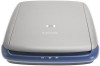
Related HP 3500c Manual Pages
Download the free PDF manual for HP 3500c and other HP manuals at ManualOwl.com
HP Scanjet 2300c or 3500c series - (English) User Manual - Page 4
...Microsoft and Windows are ...COMPUTER SOFTWARE: "Use, duplication, or disclosure by the Government is subject to restrictions as set forth in subparagraph (c) (1) (ii) of the Rights in Technical Data Clause at DFARS 52.2277013." Material scanned...scanner/transparent materials adapter/liquid
crystal display (< 5 mg) • lead in solder For recycling information, you can contact http://www.hp...
HP Scanjet 2300c or 3500c series - (English) User Manual - Page 5
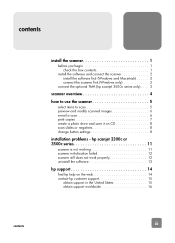
...a scan 6 print copies 7 create a photo show and save it on CD 8 scan slides or negatives 8 change button settings 8
installation problems - hp scanjet 2300c or 3500c series 11
scanner is not working 11 scanner initialization failed 12 scanner still does not work properly 12 uninstall the software 13
hp support 14
find hp help on the web 14 contact hp customer support 15
obtain support...
HP Scanjet 2300c or 3500c series - (English) User Manual - Page 6
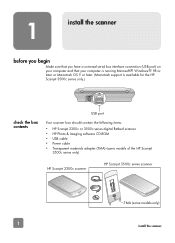
... Microsoft Windows 98 or later or Macintosh OS 9 or later. (Macintosh support is available for the HP Scanjet 3500c series only.)
check the box contents
USB port
Your scanner box should contain the following items:
• HP Scanjet 2300c or 3500c series digital flatbed scanner • HP Photo & Imaging software CD-ROM • USB cable • Power cable • Transparent materials adapter...
HP Scanjet 2300c or 3500c series - (English) User Manual - Page 7
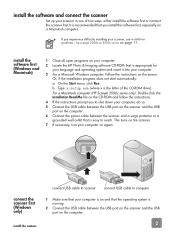
...: x:setup.exe (where x is the letter of the CD-ROM drive). For a Macintosh computer (HP Scanjet 3500c series only): Double-click the Installation Read Me file on the CD-ROM and follow the instructions. 4 If the instructions prompt you to shut down your computer, do so. 5 Connect the USB cable between the USB port on the scanner and the USB port on the computer. 6 Connect the power cable between...
HP Scanjet 2300c or 3500c series - (English) User Manual - Page 8
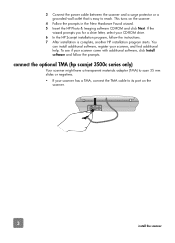
...your scanner, and find additional help. To see if your scanner came with additional software, click Install software and follow the prompts.
connect the optional TMA (hp scanjet 3500c series only)
Your scanner might have a transparent materials adapter (TMA) to scan 35 mm slides or negatives. • If your scanner has a TMA, connect the TMA cable to its port on the
scanner.
3 install the scanner
HP Scanjet 2300c or 3500c series - (English) User Manual - Page 9
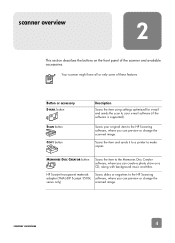
... a printer to make copies.
MEMORIES DISC CREATOR button
Scans the item to the Memories Disc Creator software, where you can create a photo show on a CD, along with background music and titles.
HP Scanjet transparent materials adapter (TMA) (HP Scanjet 3500c series only)
Scans slides or negatives to the HP Scanning software, where you can preview or change the scanned image.
4
scanner overview
HP Scanjet 2300c or 3500c series - (English) User Manual - Page 10
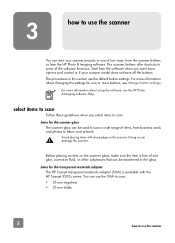
... options and control or if your scanner model does not have all the buttons. The procedures in this section use the default button settings. For more information about changing the settings for one or more buttons, see change button settings.
For more information about using the software, see the HP Photo & Imaging software Help.
select items to scan
Follow...
HP Scanjet 2300c or 3500c series - (English) User Manual - Page 11
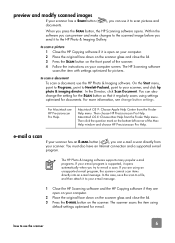
... Finder Help menu. Then click the question mark on the bottom-left corner of the Mac Help window and choose HP Precisionscan Pro Help.
e-mail a scan
If your scanner has an E-MAIL button ( ), you can e-mail a scan directly from your scanner. You must also have an Internet connection and a supported e-mail program.
The HP Photo & Imaging software supports many popular e-mail programs. If...
HP Scanjet 2300c or 3500c series - (English) User Manual - Page 12
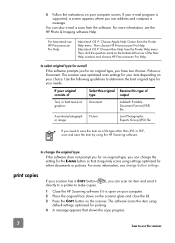
... from the Finder Help menu. Then click the question mark on the bottom-left corner of the Mac Help window and choose HP Precisionscan Pro Help.
If the software prompts you for an original type, you have two choices: Picture or Document. The scanner uses optimized scan settings for your item depending on your choice. Use the following...
HP Scanjet 2300c or 3500c series - (English) User Manual - Page 13
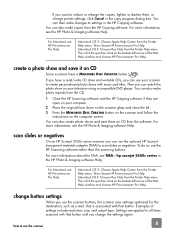
... the MEMORIES DISC CREATOR button on the scanner and follow the
instructions on the computer screen. You can also create photo shows and save them on CD from the software. For more information, see the HP Photo & Imaging software Help.
scan slides or negatives
On an HP Scanjet 3500c series scanner, you can use the optional HP Scanjet transparent materials adapter (TMA) to scan slides or...
HP Scanjet 2300c or 3500c series - (English) User Manual - Page 14
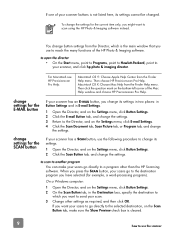
... Help menu. Then click the question mark on the bottom-left corner of the Mac Help window and choose HP Precisionscan Pro Help.
change settings for the E-MAIL button change settings for the SCAN button
If your scanner has an E-MAIL button, you change its settings in two places: in Button Settings and in E-mail Settings.
1 Open the Director, and on...
HP Scanjet 2300c or 3500c series - (English) User Manual - Page 15

to change settings for the COPY button
If your scanner has a COPY button, the software will remember the settings you chose the last time you used the HP Copying software.
• Open the Director, click Make Copies, and then change the settings.
10
how to use the scanner
HP Scanjet 2300c or 3500c series - (English) User Manual - Page 16
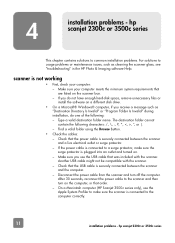
... with the scanner. Another USB cable might not be compatible with the scanner. - Check that the USB cable is securely connected between the scanner and the computer. - Disconnect the power cable from the scanner and turn off the computer. After 30 seconds, reconnect the power cable to the scanner and then turn on the computer, in that order. - On a Macintosh computer (HP Scanjet 3500c series only...
HP Scanjet 2300c or 3500c series - (English) User Manual - Page 17
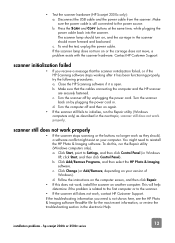
... to Settings, and then click Control Panel (in Windows XP, click Start, and then click Control Panel). b. Click Add/Remove Programs, and then select the HP Photo & Imaging software. c. Click Change (or Add/Remove, depending on your version of Windows). d. Follow the instructions on the computer screen, and then click Repair.
• If this does not work, install the scanner on another computer...
HP Scanjet 2300c or 3500c series - (English) User Manual - Page 18
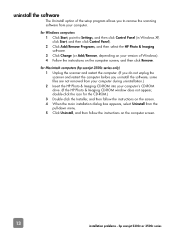
... allows you to remove the scanning software from your computer. 1 Click Start, point to Settings, and then click Control Panel (in Windows XP,
click Start, and then click Control Panel). 2 Click Add/Remove Programs, and then select the HP Photo & Imaging
software. 3 Click Change (or Add/Remove, depending on your version of Windows). 4 Follow the instructions on the computer screen, and then click...
HP Scanjet 2300c or 3500c series - (English) User Manual - Page 19
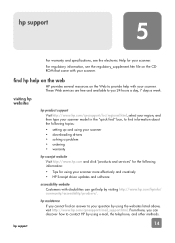
... about the following topics:
• setting up and using your scanner • downloading drivers • solving a problem • ordering • warranty
Visit http://www.hp.com and click "products and services" for the following information:
• Tips for using your scanner more effectively and creatively • HP Scanjet driver updates and software
Customers with disabilities can get...
HP Scanjet 2300c or 3500c series - (English) User Manual - Page 20
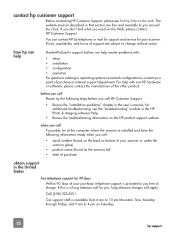
... in the user's manual; for additional troubleshooting, see the "troubleshooting" module in the HP Photo & Imaging software Help.
• Review the troubleshooting information on the HP product support website.
obtain support in the United States
If possible, be at the computer where the scanner is installed and have the following information ready when you call:
• serial number (found on...
HP Scanjet 2300c or 3500c series - (English) User Manual - Page 21
... issue, charged to your credit card.
If you think your HP product might need service, call HP Customer Support, which can help determine if service is required.
obtain support worldwide
You can buy an extended, comprehensive warranty for your HP product, but you must do so within 180 days of purchasing the product.
Upgrade your standard factory warranty to...
HP Scanjet 3500c series - (English) Glass Cleaning Manual - Page 2
Preparation
First Step; Unplug scanner from power supply and Computer. Wait for at least 15 minutes (after disconnecting power) before disassembling scanner and cleaning the glass. This gives time for the scanner to cool.
Tools Needed;
Phillips Screw driver
Supplies Needed;
Glass Cleaner Lint Free Cloth
Surroundings or Environment;
Disassemble scanner in a relatively clean dust free space.
Special...
HP Scanjet 3500c series - (English) Glass Cleaning Manual - Page 7
... head screw driver
.
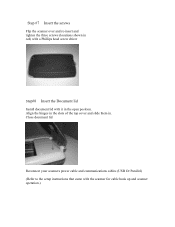
Step#8 Insert the Document lid
Install document lid with it in the open position. Align the hinges in the slots of the top cover and slide them in. Close document lid
Reconnect your scanners power cable and communications cables (USB Or Parallel) (Refer to the setup instructions that came with the scanner for cable hook up and scanner operation.)