
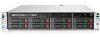
HP ProLiant DL380p driver and firmware
Drivers and firmware downloads for this Hewlett-Packard item
Related HP ProLiant DL380p Manual Pages
Download the free PDF manual for HP ProLiant DL380p and other HP manuals at ManualOwl.com
ProLiant Essentials Foundation Pack Installation Guide - Page 1
...8226; Download the latest individual software components from the Software and Driver download pages available from www.hp.com/support
• Use HP SIM and Version Control to automatically download the latest versions of ProLiant software, identify servers running out-of-date software, and deploy updates to groups of systems running Windows or Linux.
• Download or buy a ProLiant Essentials...
HP Insight Server Migration Software for ProLiant User Guide - Page 6
... Supported storage controllers display Unknown on the Boot CD 128 Auto booting destination server using iLO fails 128 SMP might not detect virtual machines on mapped network drives 128 Deploy Agent task to Windows fails 128
Windows SMP Agent deployment fails 128 Destination server boots from the SMP boot CD on a manual boot 129 Migration process...129 Drivers cannot be installed...
HP Insight Server Migration Software for ProLiant User Guide - Page 20
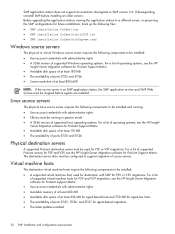
... components to be installed: • User account credentials with administrative rights • A 32-bit version of supported Windows operating systems. For a list of operating systems, see the HP
Insight Server Migration software for ProLiant Support Matrix. • Available disk space of at least 180 MB • The availability of ports 51125 and 51126 • Screen resolution of at least...
HP Insight Server Migration Software for ProLiant User Guide - Page 132
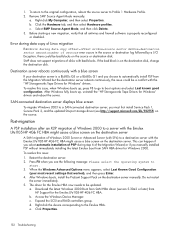
...Windows boots, install the ProLiant Support Pack on the destination server manually. Do not restart
the server immediately. 5. The driver for the Emulex HBA now needs to be updated.
a. Download the latest Windows 2000 Boot from SAN HBA driver (version 5.30a2 or later) from HP Support for the Emulex LPe1105-HP 4Gb FC HBA.
b. Access the Windows Device Manager. c. Expand the SCSI and RAID controllers...
Implementing Microsoft Windows Server 2008 on HP ProLiant servers - Page 1
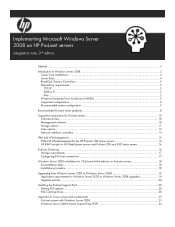
... ...5 Windows Hardware Error Architecture (WHEA 5 Supported configurations ...6 Recommended system configuration 7
Recommended ProLiant server platforms 8
Supported components for ProLiant servers 10 Software drivers...10 Management software ...10 Storage options ...11 Tape options ...13 Network interface controllers ...14
IPMI and WS-Management ...15 IPMI and WS-Management for the HP ProLiant...
Implementing Microsoft Windows Server 2008 on HP ProLiant servers - Page 8
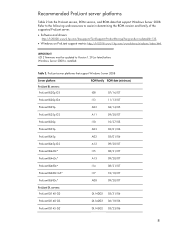
... the ROM version and family of the supported ProLiant server. • Software and drivers:
http://h20000.www2.hp.com/bizsupport/TechSupport/ProductRoot.jsp?lang=en&cc=us&taskId=135. • Windows on ProLiant support matrix: http://h10018.www1.hp.com/wwsolutions/windows/index.html.
IMPORTANT iLO 2 firmware must be updated to Version 1.29 (or later) before Windows Server 2008 is installed.
Table...
Implementing Microsoft Windows Server 2008 Foundation on HP ProLiant servers - Page 6
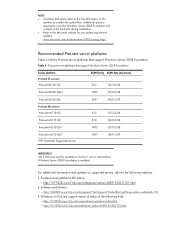
.../09
IMPORTANT iLO 2 firmware must be updated to Version 1.42 (or later) before Windows Server 2008 Foundation is installed.
For additional information and updates on supported servers, refer to the following websites:
• ProLiant server platforms OS matrix: - http://h71028.www7.hp.com/enterprise/cache/458915-0-0-0-121.html
• Software and drivers: - http://h20000.www2.hp.com/bizsupport...
Implementing Microsoft Windows Server 2008 Foundation on HP ProLiant servers - Page 7
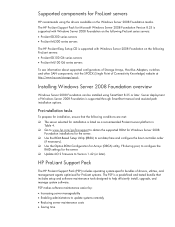
...the supported ROM for Windows Server 2008
Foundation installations for the server. ‰ Use the ROM-Based Setup Utility (RBSU) to set date/time and configure the boot controller order
(if necessary). ‰ Use the Option ROM Configuration for Arrays (ORCA) utility, F8 during post, to configure the
RAID settings for the server. ‰ Update iLO 2 firmware to Version 1.42 (or later).
HP ProLiant...
Regular Firmware Updates Essential for Optimal Performance and Functionality of HP ProLiant Servers - Page 3
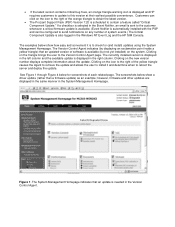
....) The Critical Component Update is also logged in the Windows NT Event Log and the HP SIM Console.
The examples below show how easy and convenient it is to check for (and install) updates using the System Management Homepage. The Version Control Agent indicates (by displaying an exclamation point inside a yellow triangle) that an updated version of software is available (but...
HP ProLiant Servers Troubleshooting Guide - Page 75
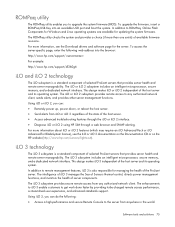
... the firmware, insert a ROMPaq USB Key into an available USB port and boot the system. In addition to ROMPaq, Online Flash Components for Windows and Linux operating systems are available for updating the system firmware. The ROMPaq utility checks the system and provides a choice (if more than one exists) of available firmware revisions. For more information, see the Download drivers and software...
HP ProLiant Servers Troubleshooting Guide - Page 79
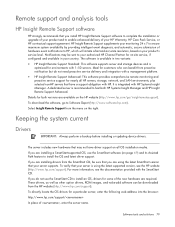
... and HP Insight Remote Support Advanced.
Details for both versions are available on the HP website (http://www.hp.com/go/insightremotesupport).
To download the software, go to Software Depot (http://www.software.hp.com).
Select Insight Remote Support from the menu on the right.
Keeping the system current
Drivers
IMPORTANT: Always perform a backup before installing or updating device drivers...
HP ProLiant Servers Troubleshooting Guide - Page 80
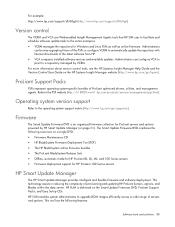
... to automatically update the repository with Internet downloads of the latest software from HP.
• VCA compares installed software versions and available updates. Administrators can configure VCA to
point to a repository managed by VCRM. For more information about version control tools, see the HP Systems Insight Manager Help Guide and the Version Control User Guide on the HP Systems Insight...
HP ProLiant DL380p Gen8 Server User Guide - Page 92
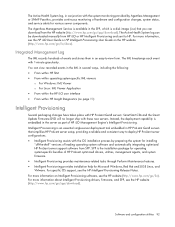
... by preparing the system for installing
"off-the-shelf" versions of leading operating system software and automatically integrating optimized HP ProLiant server support software from SPP. SPP is the installation package for operating system-specific bundles of HP ProLiant optimized drivers, utilities, management agents, and system firmware.
• Intelligent Provisioning provides maintenance...
HP ProLiant DL380p Gen8 Server User Guide - Page 100
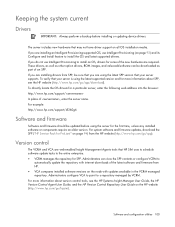
... example:
http://www.hp.com/support/dl360g6
Software and firmware
Software and firmware should be updated before using the server for the first time, unless any installed software or components require an older version. For system software and firmware updates, download the SPP ("HP Service Pack for ProLiant" on page 94) from the HP website (http://www.hp.com/go/spp).
Version control
The VCRM and...
Deploying and updating VMware vSphere 5.0 on HP ProLiant Servers Integration Note - Page 8
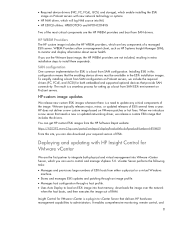
... device drivers must be available in the ESXi installation images. To simplify installing a boot from SAN configuration on ProLiant servers, we include the required drivers (FC, FCoE, and iSCSI) for both embedded and supported optional devices that provide SAN connectivity. The result is a seamless process for setting up a boot from SAN ESXi environment on ProLiant servers.
HP-custom image updates...
Implementing Microsoft® Windows® MultiPoint Server 2011 on HP ProLiant servers - Page 6
....
Before installing the OS, your devices may need software, firmware, or driver updates. The latest software, firmware, and drivers are available on the HP Business Support Center at www.hp.com/go/bizsupport.
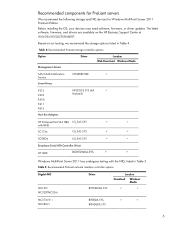
Based on our testing, we recommend the storage options listed in Table 4.
Table 4: Recommended ProLiant storage controller options
Option
Driver
Location Web Download Windows Media...
Implementing Microsoft® Windows® MultiPoint Server 2011 on HP ProLiant servers - Page 8
... complete the installation.
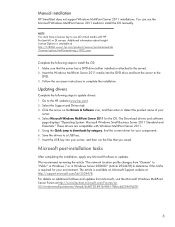
Updating drivers
Complete the following steps to update drivers: 1. Go to the HP website (www.hp.com). 2. Select the Support and Drivers tab. 3. Click the arrow on the Drivers & Software icon, and then enter or detect the product name of your
server. 4. Select Microsoft Windows MultiPoint Server 2011 for the OS. The Download drivers and software
page displays "Operating...
Innovative technologies in HP ProLiant Gen8 servers - Page 13
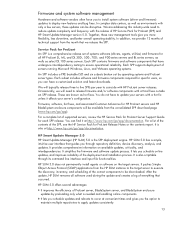
...and HP Smart Update Manager version 5.0. Together, these new management tools give you more flexibility, less downtime, and better overall operating stability. In addition, we provide 12 months of technical support from the month that we release the SPP.
Service Pack for ProLiant An SPP is a comprehensive release set of systems software (drivers, agents, utilities) and firmware for all HP ProLiant...
Installing Microsoft Windows Compute Cluster Server 2003 on HP ProLiant servers using the Microsoft Remote Installation Services - Page 2
... updating firmware and drivers to the latest versions before installing the operating system. Windows Server 2003 64-bit Edition firmware and driver should be used with Windows CCS 2003. ProLiant ROM and driver updates are available as follows: • System ROM family code and version:
http://h18007.www1.hp.com/support/files/server/us/romhowto.html • ROMPaq downloads: http://h18023.www1.hp...
Installing Microsoft Windows Compute Cluster Server 2003 on HP ProLiant servers using the Microsoft Remote Installation Services - Page 5
... on-screen instructions.
11.For ProLiant DL 100 series servers only, insert the HP ProLiant Software Support CD and update any necessary drivers, particularly if you have any network card drivers that are not on the Microsoft media. Select drivers for Windows Server 2003 64-bit.
12.If you are not prompted to configure your network settings or if you cannot communicate with a domain controller when...