
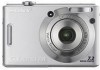
Sony DSC W35 - Cyber-shot Digital Camera driver and firmware
Drivers and firmware downloads for this Sony item
Related Sony DSC W35 Manual Pages
Download the free PDF manual for Sony DSC W35 and other Sony manuals at ManualOwl.com
Instruction Manual - Page 2
English
Owner's Record
The model and serial numbers are located on the bottom. Record the serial number in the space provided below. Refer to these numbers whenever you call upon your Sony dealer regarding this product. Model No. DSC-W35/W55 Serial No
WARNING
To reduce fire or shock hazard, do not expose the unit to rain or moisture...
Instruction Manual - Page 3
... from the wall outlet and disconnect the antenna or cable system. This will prevent damage to the set due to lightning and power-line surges.
Service
[ Damage Requiring Service
Unplug the set from the wall outlet and refer servicing to qualified service personnel under the following conditions: - When the power cord or plug is damaged or
frayed. - If liquid...
Instruction Manual - Page 5
... from that to which the receiver is connected. - Consult the dealer or an experienced radio/TV technician for help.
The supplied interface cable must be used with the equipment in order to comply with the limits for a digital device pursuant to Subpart B of Part 15 of FCC Rules.
For the State of California, USA...
Instruction Manual - Page 7
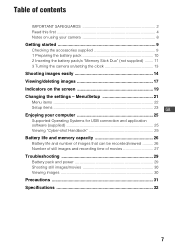
... Indicators on the screen 19 Changing the settings - Menu/Setup 21
Menu items 22
Setup items 23 GB Enjoying your computer 25
Supported Operating Systems for USB connection and application software (supplied 25 Viewing "Cyber-shot Handbook 25
Battery life and memory capacity 26
Battery life and number of images that can be recorded/viewed .......... 26 Number of still images and...
Instruction Manual - Page 9
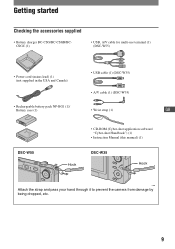
... (1) (DSC-W55)
• Power cord (mains lead) (1) (not supplied in the USA and Canada)
• USB cable (1) (DSC-W35) • A/V cable (1) (DSC-W35)
• Rechargeable battery pack NP-BG1 (1)/
Battery case (1)
• Wrist strap (1)
GB
DSC-W55
Hook
• CD-ROM (Cyber-shot application software/ "Cyber-shot Handbook") (1)
• Instruction Manual (this manual) (1)
DSC-W35
Hook...
Instruction Manual - Page 25
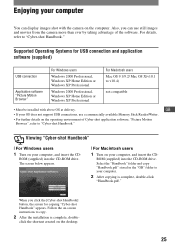
... OS does not support USB connections, use a commercially available Memory Stick Reader/Writer.
• For further details on the operating environment of Cyber-shot application software, "Picture Motion
Browser", refer to "Cyber-shot Handbook."
Viewing "Cyber-shot Handbook"
[ For Windows users
1 Turn on your computer, and insert the CD-
ROM (supplied) into the CD-ROM drive. The screen below...
Instruction Manual - Page 29
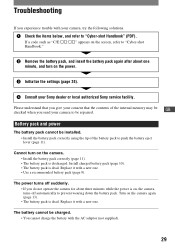
... screen, refer to "Cyber-shot Handbook."
2 Remove the battery pack, and insert the battery pack again after about one minute, and turn on the power.
3 Initialize the settings (page 24).
4 Consult your Sony dealer or local authorized Sony service facility.
Please understand that you give your consent that the contents of the internal memory may be GB
checked...
Instruction Manual - Page 30
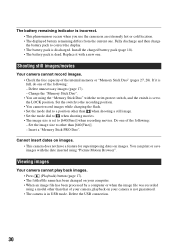
... the battery pack to correct the display. • The battery pack is discharged. Install the charged battery pack (page 10). • The battery pack is dead. Replace it with a new one.
Shooting still images/movies
Your camera cannot record images. • Check the free capacity of the internal memory or "Memory Stick Duo" (pages 27, 28...
Instruction Manual - Page 33
... PRO
Duo",
, "Memory
Stick Micro", "MagicGate", and
are trademarks of Sony
Corporation.
• Microsoft, Windows and DirectX are either
registered trademarks or trademarks of
Microsoft Corporation in the United States and/
or other countries.
• Macintosh, Mac OS, iMac, iBook, PowerBook,
Power Mac and eMac are trademarks or
registered trademarks of Apple Computer, Inc.
•...