
Toshiba NB255-N250 driver and firmware
Related Toshiba NB255-N250 Manual Pages
Download the free PDF manual for Toshiba NB255-N250 and other Toshiba manuals at ManualOwl.com
User Manual - Page 38
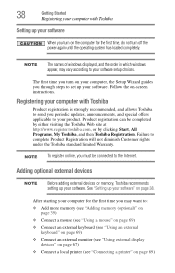
... the power again until the operating system has loaded completely.
NOTE
The names of windows displayed, and the order in which windows appear, may vary according to your software setup choices.
The first time you turn on your computer, the Setup Wizard guides you through steps to set up your software. Follow the on-screen instructions.
Registering your computer with Toshiba
Product registration...
User Manual - Page 67
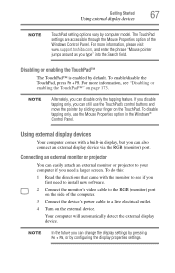
... see if you first need to install new software.
2 Connect the monitor's video cable to the RGB (monitor) port on the side of the computer.
3 Connect the device's power cable to a live electrical outlet.
4 Turn on the external device.
Your computer will automatically detect the external display device.
NOTE
In the future you can change the display settings by pressing Fn + F5, or by...
User Manual - Page 71
Getting Started
71
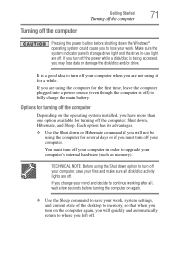
Turning off the computer
Turning off the computer
Pressing the power button before shutting down the Windows® operating system could cause you to lose your work. Make sure the system indicator panel's storage drive light and the drive in-use light are off. If you turn off the power while a disk/disc is being accessed, you...
User Manual - Page 136
136
Utilities
TOSHIBA Service Station
TOSHIBA Service Station
The TOSHIBA Service Station helps you keep your new computer running at its best by notifying you when updated software, firmware, documentation or other information is available for your computer. The TOSHIBA Service Station will alert you when updates are available, and you can then choose to install the updates if you wish.
User Manual - Page 139
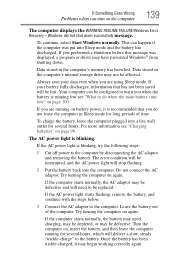
... was displayed, a program or driver may have prevented Windows® from shutting down.
Data stored in the computer's memory has been lost. Data stored in the computer's internal storage drive may...error condition will be interrupted, and the AC power light will stop flashing.
2 Put the battery back into the computer. Do not connect the AC adaptor. Try turning the computer on again.
If the computer...
User Manual - Page 141
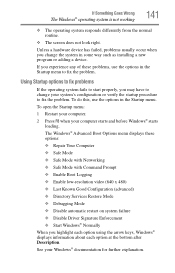
... and before Windows® starts
loading. The Windows® Advanced Boot Options menu displays these options: ❖ Repair Your Computer ❖ Safe Mode ❖ Safe Mode with Networking ❖ Safe Mode with Command Prompt ❖ Enable Boot Logging ❖ Enable low-resolution video (640 x 480) ❖ Last Known Good Configuration (advanced) ❖ Directory Services Restore...
User Manual - Page 143
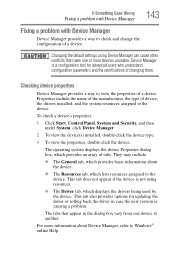
....
❖ The Driver tab, which displays the drivers being used by the device. This tab also provides options for updating the driver or rolling back the driver in case the new version is causing a problem.
The tabs that appear in the dialog box vary from one device to another.
For more information about Device Manager, refer to Windows® online Help...
User Manual - Page 146
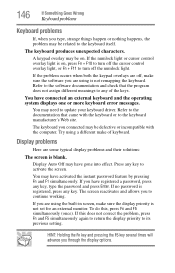
... not remapping the keyboard. Refer to the software documentation and check that the program does not assign different meanings to any of the keys.
You have connected an external keyboard and the operating system displays one or more keyboard error messages.
You may need to update your keyboard driver. Refer to the documentation that came...
User Manual - Page 150
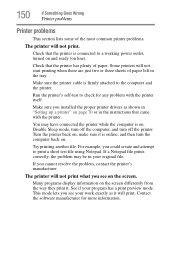
....
Make sure the printer cable is firmly attached to the computer and the printer.
Run the printer's self-test to check for any problem with the printer itself.
Make sure you installed the proper printer drivers as shown in "Setting up a printer" on page 70 or in the instructions that came with the printer.
You may have connected the printer while the computer is on...
User Manual - Page 152
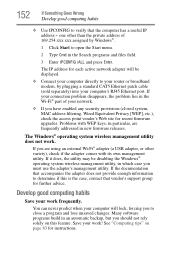
... network adapter will be displayed.
❖ Connect your computer directly to your router or broadband modem, by plugging a standard CAT5 Ethernet patch cable (sold separately) into your computer's RJ45 Ethernet port. If your connection problem disappears, the problem lies in the Wi-Fi® part of your network.
❖ If you have enabled any security provisions (closed system, MAC address...
User Manual - Page 153
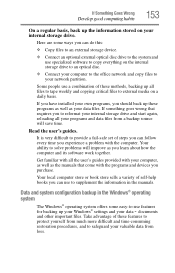
... are some ways you can do this:
❖ Copy files to an external storage device.
❖ Connect an optional external optical disc drive to the system and use specialized software to copy everything on the internal storage drive to an optical disc.
❖ Connect your computer to the office network and copy files to your network partition.
Some people use a combination of these methods...
User Manual - Page 154
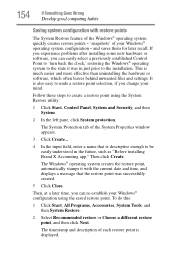
... can easily select a previously established Control Point to 'turn back the clock,' restoring the Windows® operating system to the state it was in just prior to the installation. This is much easier and more effective than uninstalling the hardware or software, which often leaves behind unwanted files and settings. It is also easy to...
User Manual - Page 155
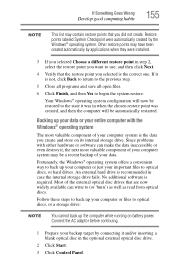
... backup of your data.
Fortunately, the Windows® operating system offers a convenient way to back up your computer or just your important files to optical discs, or hard drives. An external hard drive is recommended in case the internal storage drive fails. No additional software is required. Most of the external optical disc drives that are now widely available can...
User Manual - Page 156
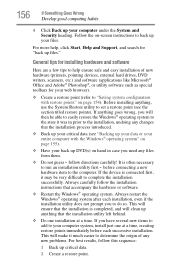
... your computer under the System and Security heading. Follow the on-screen instructions to back up your files.
For more help, click Start, Help and Support, and search for "back up files."
General tips for installing hardware and software
Here are a few tips to help ensure safe and easy installation of new hardware (printers, pointing devices, external hard drives...
User Manual - Page 157
...
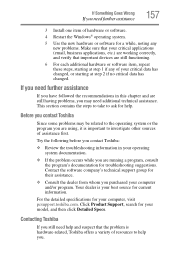
If you need further assistance
157
3 Install one item of hardware or software. 4 Restart the Windows® operating system.
5 Use the new hardware or software for a while, noting any new problems. Make sure that your critical applications (email, business applications, etc.) are working correctly, and verify that important devices are still functioning.
6 For each additional...
User Manual - Page 158

...toshiba.com.
Toshiba voice contact
Before calling Toshiba, make sure you have: ❖ Your computer's serial number ❖ The computer and any optional devices related to the problem ❖ Backup copies of your Windows® operating system and all
other preloaded software on your choice of media ❖ Name and version of the program involved in the problem
along with its installation...
User Manual - Page 183
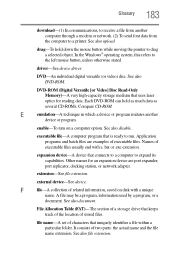
... object. In the Windows® operating system, this refers to
the left mouse button, unless otherwise stated.
driver-See device driver.
DVD-An individual digital versatile (or video) disc. See also DVD-ROM.
DVD-ROM (Digital Versatile [or Video] Disc Read-Only Memory)-A very high-capacity storage medium that uses laser optics for reading data. Each DVD-ROM can hold as much...
User Manual - Page 195
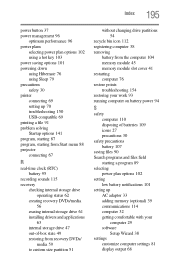
... 69 setting up 70 troubleshooting 150 USB-compatible 69 printing a file 91 problem solving Startup options 141 program, starting 87 program, starting from Start menu 88 projector connecting 67
R
real-time clock (RTC) battery 95
recording sounds 115 recovery
checking internal storage drive operating status 62
creating recovery DVDs/media 56
erasing internal storage drive 61 installing drivers and...
User Manual - Page 196
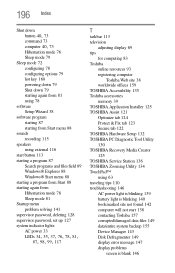
... password, deleting 128 supervisor password, set up 127 system indicator lights AC power 33
LEDs 34, 35, 37, 76, 78, 81, 87, 98, 99, 117
T
taskbar 113 television
adjusting display 69 tips
for computing 83 Toshiba
online resources 93 registering computer
Toshiba Web site 38 worldwide offices 159 TOSHIBA Accessibility 135 Toshiba accessories memory 39 TOSHIBA Application Installer 125 TOSHIBA...
User Manual - Page 197
... URL address not found 142 Windows® operating system not
working 140 wireless networking 151 turning off computer 71 computer more quickly 74 options 71 turning on power 37
U
USB-compatible printer 69
user password, deleting 129 user password, setting 128
using a microphone 115 computer lock 82 external display devices 67 Hibernation mode 76 hot key to set a power plan 103 Memory card reader...