
Toshiba Satellite A60-S1561 driver and firmware
Drivers and firmware downloads for this Toshiba item
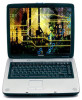
Related Toshiba Satellite A60-S1561 Manual Pages
Download the free PDF manual for Toshiba Satellite A60-S1561 and other Toshiba manuals at ManualOwl.com
Satellite A60/A65 Users Guide - Page 5
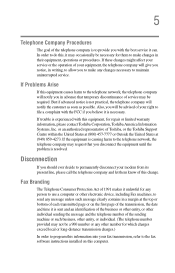
... should ever decide to permanently disconnect your modem from its present line, please call the telephone company and let them know of this change.
Fax Branding
The Telephone Consumer Protection Act of 1991 makes it unlawful for any person to use a computer or other electronic device, including Fax machines, to send any message unless such...
Satellite A60/A65 Users Guide - Page 9
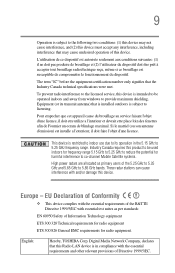
...service, this device is intended to be operated indoors and away from windows to provide maximum shielding. Equipment (or its transmit antenna) that is installed... potential for harmful interference to co-channel Mobile Satellite systems. High power radars are allocated as primary users of ..., TOSHIBA Corp. Digital Media Network Company, declares that this Radio LAN device is in compliance with ...
Satellite A60/A65 Users Guide - Page 35
... go. Your system comes the Microsoft® Windows® XP Home or XP Pro operating system. Your operating system offers exciting features and easy Internet access. This guide contains information about your operating system and how it functions with your Toshiba computer. For specific information on the software, see the Microsoft booklet that shipped with your...
Satellite A60/A65 Users Guide - Page 38
...'s guide. ❖ Guides for other programs that may come preinstalled on
your computer or that are available for installation on your Recovery Media. ❖ For accessory information, visit Toshiba's Web site at accessories.toshiba.com. ❖ The Microsoft® Windows® operating system documentation which explains the features of the operating system.
Service options
Toshiba offers...
Satellite A60/A65 Users Guide - Page 46
... to, a mouse, keyboard, printer, memory, and PC cards.
Your computer contains a rechargeable high-capacity battery that needs to be charged before you can use it.
To use external power or to charge the battery, you must attach the AC adapter. See "Connecting to a power source" on page 48.
Setting up your software
NOTE
The names of windows displayed and the order...
Satellite A60/A65 Users Guide - Page 47
... Setting up your computer
47
NOTE
To register online, your computer must be connected to the Internet via a voice-grade telephone line or a Local-AreaNetwork (LAN).
NOTE
If you chose not to register now, you may register with Toshiba by clicking the Register with Toshiba icon on the desktop.
A window displays the message, "Thank you."
4 Click Finish to continue.
Your computer...
Satellite A60/A65 Users Guide - Page 62
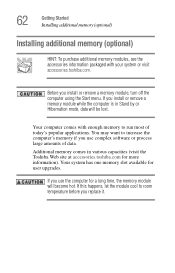
... may want to increase the computer's memory if you use complex software or process large amounts of data.
Additional memory comes in various capacities (visit the Toshiba Web site at accessories.toshiba.com for more information). Your system has one memory slot available for user upgrades.
If you use the computer for a long time, the memory module will become hot...
Satellite A60/A65 Users Guide - Page 70
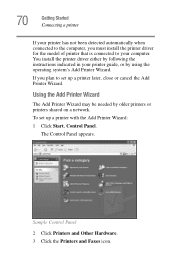
... to your computer. You install the printer driver either by following the instructions indicated in your printer guide, or by using the operating system's Add Printer Wizard.
If you plan to set up a printer later, close or cancel the Add Printer Wizard.
Using the Add Printer Wizard
The Add Printer Wizard may be needed by older printers or printers shared on a network.
To set up a printer with the...
Satellite A60/A65 Users Guide - Page 80
... it is reading from or writing to a disk may damage the disk, the drive, or both.
❖ Before turning off the computer, use the Turn off computer command or Standby command. See "Powering down the computer" on page 101 to learn more about Standby.
The operating system records information, such as your desktop setup, during its shut down procedure. If...
Satellite A60/A65 Users Guide - Page 85
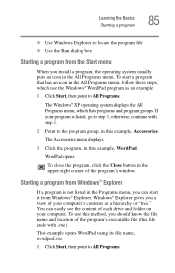
... these steps, which use the Windows® WordPad program as an example:
1 Click Start, then point to All Programs.
The Windows® XP operating system displays the All Programs menu, which lists... from Windows® Explorer. Windows® Explorer gives you a view of your computer's contents as a hierarchy or "tree." You can easily see the content of each drive and folder on your computer. To...
Satellite A60/A65 Users Guide - Page 90
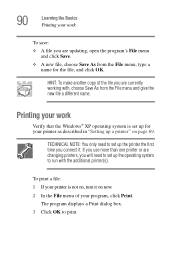
... OK.
HINT: To make another copy of the file you are currently working with, choose Save As from the File menu and give the new file a different name.
Printing your work
Verify that the Windows® XP operating system is set up for your printer as described in "Setting up a printer" on page 69.
TECHNICAL NOTE...
Satellite A60/A65 Users Guide - Page 99
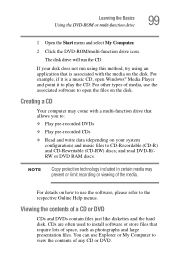
... is a music CD, open Windows® Media Player and point it to play the CD. For other types of media, use the associated software to open the files on the disk.
Creating a CD
Your computer may come with a multi-function drive that allows you to:
❖ Play pre-recorded DVDs
❖ Play pre-recorded CDs
❖ Read and...
Satellite A60/A65 Users Guide - Page 134
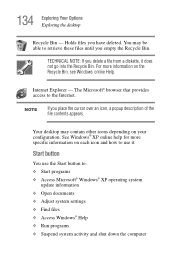
...Windows online Help.
Internet Explorer - The Microsoft® browser that provides access to the Internet.
NOTE
If you place the cursor over an icon, a popup description of the file contents appears.
Your desktop... Microsoft® Windows® XP operating system
update information ❖ Open documents ❖ Adjust system settings ❖ Find files ❖ Access Windows® Help ...
Satellite A60/A65 Users Guide - Page 175
...
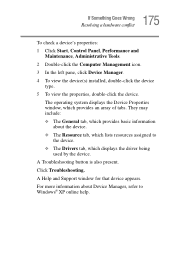
To check a device's properties: 1 Click Start, Control Panel, Performance and
Maintenance, Administrative Tools. 2 Double-click the Computer Management icon. 3 In the left pane, click Device Manager. 4 To view the device(s) installed, double-click the device
type. 5 To view the properties, double-click the device.
The operating system displays the Device Properties window, which provides an...
Satellite A60/A65 Users Guide - Page 187
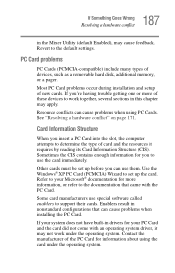
... Enabled), may cause feedback. Revert to the default settings.
PC Card problems
PC Cards (PCMCIA-compatible) include many types of devices, such as a removable hard disk, additional memory, or a pager.
Most PC Card problems occur during installation and setup of new cards. If you're having trouble getting one or more of these devices to work together, several sections in this chapter...
Satellite A60/A65 Users Guide - Page 190
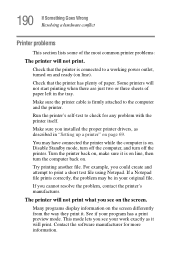
...printer cable is firmly attached to the computer and the printer.
Run the printer's self-test to check for any problem with the printer itself.
Make sure you installed the proper printer drivers, as described in "Setting up a printer" on page 69.
You may have connected the printer while the computer...printer's manufacturer.
The printer will not print what you see on the screen.
Many programs display...
Satellite A60/A65 Users Guide - Page 194
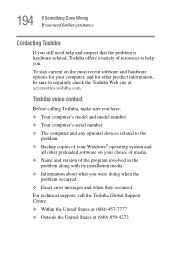
... copies of your Windows® operating system and
all other preloaded software on your choice of media. ❖ Name and version of the program involved in the
problem along with its installation media. ❖ Information about what you were doing when the
problem occurred. ❖ Exact error messages and when they occurred. For technical support, call the Toshiba...
Satellite A60/A65 Users Guide - Page 225
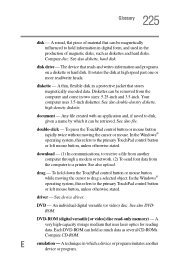
... object. In the Windows®
operating system, this refers to the primary TouchPad control button
or left mouse button, unless otherwise stated.
driver - See device driver.
DVD - An individual digital versatile (or video) disc. See also DVDROM.
DVD-ROM (digital versatile [or video] disc read-only memory) - A very high-capacity storage medium that uses laser optics for reading data. Each...
Satellite A60/A65 Users Guide - Page 232
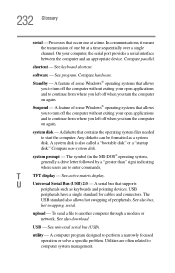
...-matrix display.
U
Universal Serial Bus (USB) 2.0 - A serial bus that supports
peripherals such as keyboards and pointing devices. USB
peripherals have a single standard for cables and connectors. The
USB standard also allows hot swapping of peripherals. See also bus,
hot swapping, serial.
upload - To send a file to another computer through a modem or network. See also download.
USB - See...
Satellite A60/A65 Users Guide - Page 237
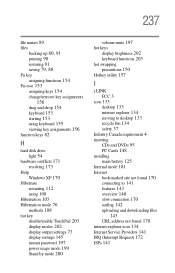
... password 197 power usage mode 199 Stand by mode 200
volume mute 197
hot keys
display brightness 202 keyboard functions 203
hot swapping
precautions 150 Hotkey utility 157
I
i.LINK
FCC 3 icon 133
desktop 133 internet explorer 134 moving to desktop 133 recycle bin 134 safety 37 Industry Canada requirement 4
inserting
CDs and DVDs 95 PC Cards 148
installing...