
Gigabyte GA-EX38-DS4 driver and firmware
Drivers and firmware downloads for this Gigabyte item
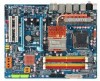
Related Gigabyte GA-EX38-DS4 Manual Pages
Download the free PDF manual for Gigabyte GA-EX38-DS4 and other Gigabyte manuals at ManualOwl.com
Manual - Page 3
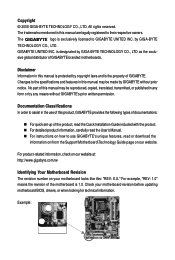
... types of documentations:
„ For quick set-up of the product, read the Quick Installation Guide included with the product. „ For detailed product information, carefully read the User's Manual. „ For instructions on how to use GIGABYTE's unique features, read or download the
information on/from the Support\Motherboard\Technology Guide page on our website.
For product-related...
Manual - Page 5
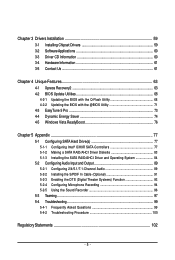
... Configuring SATA Hard Drive(s 77
5-1-1 Configuring Intel® ICH9R SATA Controllers 77 5-1-2 Making a SATA RAID/AHCI Driver Diskette 83 5-1-3 Installing the SATA RAID/AHCI Driver and Operating System 84 5-2 ConfiguringAudio Input and Output 89 5-2-1 Configuring 2/4/5.1/7.1-Channel Audio 89 5-2-2 Installing the S/PDIF In Cable (Optional 91 5-2-3 Enabling the DTS (Digital Theater Systems...
Manual - Page 12
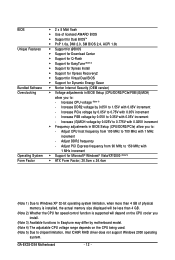
... GB.
(Note 2) Whether the CPU fan speed control function is supported will depend on the CPU cooler you install.
(Note 3) Available functions in Easytune may differ by motherboard model. (Note 4) The adjustable CPU voltage range depends on the CPU being used. (Note 5) Due to chipset limitation, Intel ICH9R RAID driver does not support Windows 2000 operating
system.
GA-EX38-DS4 Motherboard
- 12 -
Manual - Page 35
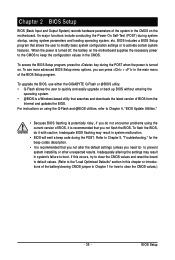
... of the BIOS Setup program.
To upgrade the BIOS, use either the GIGABYTE Q-Flash or @BIOS utility. • Q-Flash allows the user to quickly and easily upgrade or back up BIOS without entering the
operating system. • @BIOS is a Windows-based utility that searches and downloads the latest version of BIOS from the
Internet and updates the BIOS. For instructions on using the Q-Flash and @BIOS...
Manual - Page 42
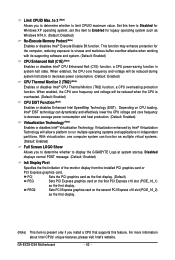
...)
PEG
Sets PCI Express graphics card on the first PCI Express x16 slot (PCIE_16_1)
as the first display.
PEG2
Sets PCI Express graphics card on the second PCI Express x16 slot (PCIE_16_2)
as the first display.
(Note) This item is present only if you install a CPU that supports this feature. For more information about Intel CPUs' unique features, please visit Intel's website.
GA-EX38-DS4...
Manual - Page 43
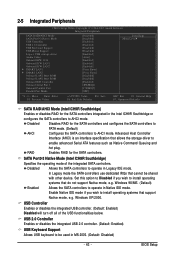
... Setup Utility-Copyright (C) 1984-2007 Award Software Integrated Peripherals
SATA RAID/AHCI Mode SATA Port0-3 Native Mode USB Controller USB 2.0 Controller USB Keyboard Support USB Mouse Support Legacy USB storage detect Azalia Codec Onboard H/W 1394 Onboard H/W LAN1 Onboard H/W LAN2 ` SMART LAN1 ` SMART LAN2 Onboard LAN1 Boot ROM Onboard LAN2 Boot ROM Onboard IDE Controller Onboard Serial Port...
Manual - Page 59
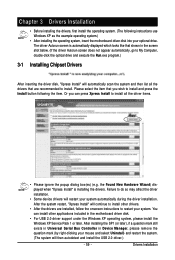
... drivers are installed, follow the onscreen instructions to restart your system. You can install other applications included in the motherboard driver disk.
• For USB 2.0 driver support under the Windows XP operating system, please install the Windows XP Service Pack 1 or later. After installing the SP1 (or later), if a question mark still exists in Universal Serial Bus Controller in Device...
Manual - Page 60
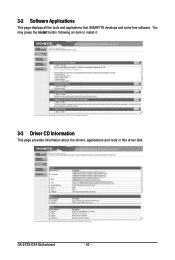
3-2 Software Applications
This page displays all the tools and applications that GIGABYTE develops and some free software. You may press the Install button following an item to install it.
3-3 Driver CD Information
This page provides information about the drivers, applications and tools in this driver disk.
GA-EX38-DS4 Motherboard
- 60 -
Manual - Page 63
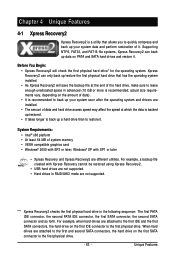
... MB of system memory • VESA compatible graphics card • Windows® 2000 with SP3 or later; Windows® XP with SP1 or later
• Xpress Recovery and Xpress Recovery2 are different utilities. For example, a backup file created with Xpress Recovery cannot be restored using Xpress Recovery2.
• USB hard drives are not supported. • Hard drives in RAID/AHCI mode...
Manual - Page 66
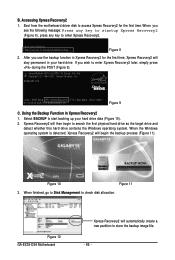
... the first time, Xpress Recovery2 will stay permanent in your hard drive. If you wish to enter Xpress Recovery2 later, simply press during the POST (Figure 9).
Award Modular BIOS v6.00PG, An Energy Star Ally Copyright (C) 1984-2007, Award Software, Inc.
EX38-DS4 F1a . . . .
: BIOS Setup : XpressRecovery2 : Boot Menu : Qflash 01/02/2008-X38-ICH9-6A89OG0WC-00...
Manual - Page 68
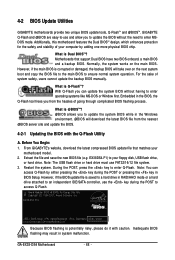
... or pressing the key in BIOS Setup. However, if the BIOS update file is saved to a hard drive in RAID/AHCI mode or a hard drive attached to an independent IDE/SATA controller, use the key during the POST to access Q-Flash.
Award Modular BIOS v6.00PG, An Energy Star Ally Copyright (C) 1984-2007, Award Software, Inc.
EX38-DS4 F1a . . . .
: BIOS Setup : XpressRecovery2 : Boot Menu : Qflash 01...
Manual - Page 71
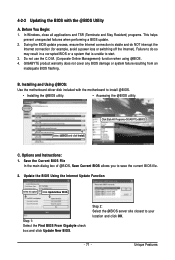
... failure resulting from an inadequate BIOS flashing.
B. Installing and Using @BIOS:
Use the motherboard driver disk included with the motherboard to install @BIOS.
• Installing the @BIOS utility.
• Accessing the @BIOS utility.
Select @BIOS and click Install.
Click Start>All Programs>GIGABYTE>@BIOS
C. Options and Instructions: 1. Save the Current BIOS File
In the main dialog...
Manual - Page 73
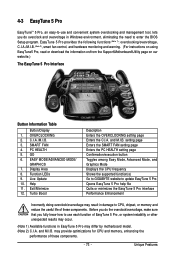
... setting page Confirmation/execution button Toggles among Easy Mode, Advanced Mode, and Graphics Mode Displays the CPU frequency Shows the supported function(s) Go to GIGABYTE website to update EasyTune 5 Pro Opens EasyTune 5 Pro help file Quits or minimizes the EasyTune 5 Pro interface Performance Enhancement
Incorrectly doing overclock/overvoltage may result in damage to CPU, chipset, or memory...
Manual - Page 77
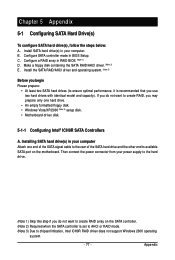
.../XP/2000 (Note 3) setup disk. • Motherboard driver disk.
5-1-1 Configuring Intel® ICH9R SATA Controllers
A. Installing SATA hard drive(s) in your computer Attach one end of the SATA signal cable to the rear of the SATA hard drive and the other end to available SATA port on the motherboard. Then connect the power connector from your power supply to the hard drive.
(Note 1) Skip this...
Manual - Page 83
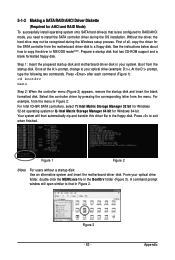
... you need to install the SATA controller driver during the OS installation. Without the driver, the hard drive may not be recognized during the Windows setup process. First of all, copy the driver for the SATA controller from the motherboard driver disk to a floppy disk. See the instructions below about how to copy the driver in MS-DOS mode(Note). Prepare a startup disk that has CD-ROM support and...
Manual - Page 84
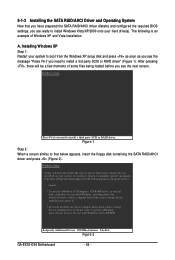
... floppy disk containing the SATA RAID/AHCI driver and press (Figure 2).
Windows Setup
Setup could not determine the type of one or more mass storage devices installed in your system, or you have chosen to manually specify an adapter. Currently, Setup will load support for the following mass storage devices(s)
* To specify additional SCSI adapters, CD-ROM drives, or special disk controllers for...
Manual - Page 85
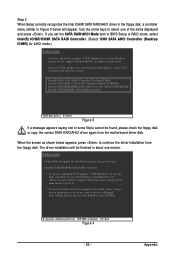
... the items displayed and press . If you set the SATA RAID/AHCI Mode item in BIOS Setup to RAID mode, select Intel(R) ICH8R/ICH9R SATA RAID Controller. (Select ICH9 SATA AHCI Controller (Desktop ICH9R) for AHCI mode.)
Windows Setup
You have chosen to configure a SCSI Adapter for use with Windows, using a device support disk provided by an adapter manufacturer.
Select the SCSI Adapter you want from...
Manual - Page 89
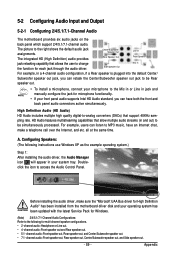
...system tray. Doubleclick the icon to access the Audio Control Panel.
Before installing the audio driver, make sure the "Microsoft UAA Bus driver for High Definition Audio" has been installed from the motherboard driver disk and your operating system has been updated with the latest Service Pack for Windows.
(Note) 2/4/5.1/7.1-Channel Audio Configurations: Refer to the following for multi-channel...
Manual - Page 97
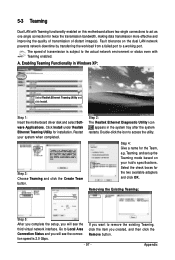
... LAN network prevents network downtime by transferring the workload from a failed port to a working port.
The speed of transmission is subject to the actual network environment or status even with Teaming enabled.
A. Enabling Teaming Functionality in Windows XP:
Select Realtek Ethernet Teaming Utility and click Install.
Step 1: Insert the motherboard driver disk and select Software Applications...
Manual - Page 98
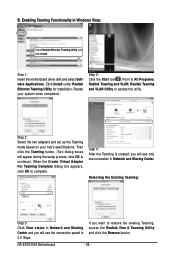
B. Enabling Teaming Functionality in Windows Vista:
Select Realtek Ethernet Teaming Utility and click Install.
Step 1: Insert the motherboard driver disk and select Software Applications. Click Install under Realtek Ethernet Teaming Utility for installation. Restart your system when completed.
Step 2: Click the Start icon , Point to All Programs, Realtek Teaming and VLAN, Realtek Teaming and ...