
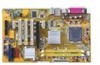
Asus P5LD2-X 1333 driver and firmware

Related Asus P5LD2-X 1333 Manual Pages
Download the free PDF manual for Asus P5LD2-X 1333 and other Asus manuals at ManualOwl.com
User Manual - Page 31
... BIOS BIOS
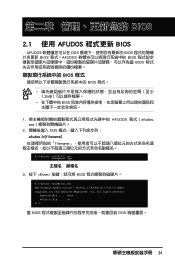
BIOS 程式
BIOS 程式。
1.2MB
BIOS
1 AFUDOS 程式(afudos. exe
2 DOS afudos /o[filename filename
A:\>afudos /oOLDBIOS1.rom
3. 按下 afudos /oOLDBIOS1.rom AMI Firmware Update Utility - Version 1.19(ASUS V2.07(03.11.24BB)) Copyright (C) 2002 American Megatrends, Inc. All rights reserved.
Reading flash...
User Manual - Page 32
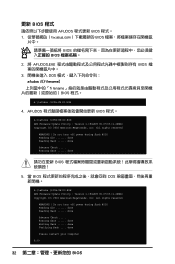
...afudos /iP5B-VM DO.ROM AMI Firmware Update Utility - Version 1.19(ASUS V2.07(03.11.24BB)) Copyright (C) 2002 American Megatrends, Inc. All rights reserved.
WARNING!! Do not turn off power during flash BIOS Reading file ....... done Reading flash ...... done
Advance Check ...... Erasing flash ...... done Writing flash ...... done Verifying flash .... done
Please restart your computer
A:\>
32 BIOS
User Manual - Page 4
... Powering off the computer 3-2
3.2.1 Using the OS shut down function 3-2 3.2.2 Using the dual function power switch 3-2
Chapter 4: BIOS setup 4.1 Managing and updating your BIOS 4-1
4.1.1 Creating a bootable floppy disk 4-1 4.1.2 AFUDOS utility 4-2 4.1.3 ASUS CrashFree BIOS 2 utility 4-5 4.1.4 ASUS EZ Flash utility 4-7 4.1.5 ASUS Update utility 4-8 4.2 BIOS setup program 4-11 4.2.1 BIOS...
User Manual - Page 5
...Boot Device Priority 4-31 4.6.2 Boot Settings Configuration 4-32 4.6.3 Security 4-33 4.7 Exit menu 4-36
Chapter 5: Software support 5.1 Installing an operating system 5-1 5.2 Support CD information 5-1
5.2.1 Running the support CD 5-1 5.2.2 Drivers menu 5-2 5.2.3 Utilities menu 5-3 5.2.4 ASUS Contact information 5-4 5.2.5 Other information 5-4 5.3 ASUS MyLogo 5-6
Appendix: CPU features...
User Manual - Page 8
... tells how to change system settings through the BIOS Setup menus. Detailed descriptions of the BIOS parameters are also provided. • Chapter 5: Software support This chapter describes the contents of the support CD that comes with the motherboard package. • Appendix: CPU features The Appendix describes the CPU features that the motherboard supports.
Where to find more information...
User Manual - Page 17
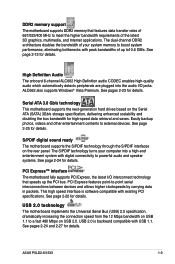
... automatically detects peripherals are plugged into the audio I/O jacks. ALC662 also supports Windows® Vista Premium. See pages 2-23 for details.
Serial ATA 3.0 Gb/s technology This motherboard supports the next-generation hard drives based on the Serial ATA (SATA) 3Gb/s storage specification, delivering enhanced scalability and doubling the bus bandwidth for high-speed data retrieval and...
User Manual - Page 29
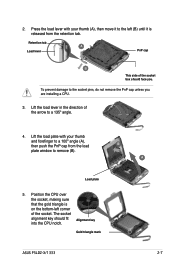
... forefinger to a 100º angle (A), then push the PnP cap from the load
B
plate window to remove (B).
Load plate
5. Position the CPU over
the socket, making sure
that the gold triangle is
on the bottom-left corner
of the socket. The socket
alignment key should fit into the CPU notch.
Alignment key
Gold triangle mark
ASUS P5LD2-X/1333
A 2-
User Manual - Page 35
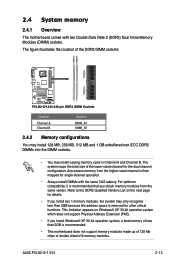
... functions. This limitation appears on Windows® XP 32-bit operation system which does not support Physical Address Extension (PAE).
• If you install Windows® XP 32-bit operation system, a total memory of less than 2GB is recommended.
• This motherboard does not support memory modules made up of 128 Mb chips or double sided x16 memory modules.
ASUS P5LD2-X/1333
2-13
User Manual - Page 40
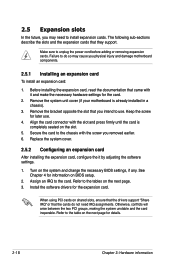
... the it by adjusting the software settings.
1. Turn on the system and change the necessary BIOS settings, if any. See Chapter 4 for information on BIOS setup.
2. Assign an IRQ to the card. Refer to the tables on the next page. 3. Install the software drivers for the expansion card.
When using PCI cards on shared slots, ensure that the drivers support "Share IRQ" or that the...
User Manual - Page 48
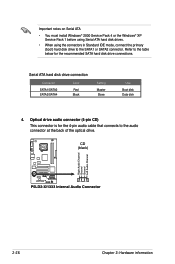
...disk drive connections.
Serial ATA hard disk drive connection
Connector
SATA1/SATA2 SATA3/SATA4
Color
Red Black
Setting
Master Slave
Use
Boot disk Data disk
4. Optical drive audio connector (4-pin CD) This connector is for the 4-pin audio cable that connects to the audio connector at the back of the optical drive.
CD (black)
Right Audio Channel Ground Ground Left Audio Channel
P5LD2-X/1333...
User Manual - Page 59
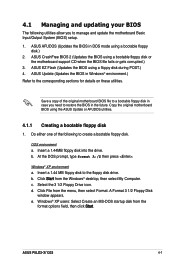
... a. Insert a 1.44 MB floppy disk to the floppy disk drive. b. Click Start from the Windows® desktop, then select My Computer. c. Select the 3 1/2 Floppy Drive icon. d. Click File from the menu, then select Format. A Format 3 1/2 Floppy Disk
window appears. e. Windows® XP users: Select Create an MS-DOS startup disk from the
format options field, then click Start.
ASUS P5LD2-X/1333
4-
User Manual - Page 61
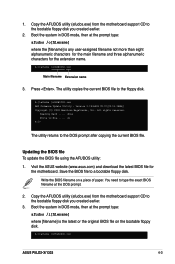
...The utility copies the current BIOS file to the floppy disk.
A:\>afudos /oOLDBIOS1.rom AMI Firmware Update Utility - Version 1.19(ASUS V2.07(03.11.24BB)) Copyright (C) 2002 American Megatrends, Inc. All rights reserved.
Reading flash ..... done Write to file...... ok A:\>
The utility returns to the DOS prompt after copying the current BIOS file.
Updating the BIOS file To update the BIOS file using...
User Manual - Page 66
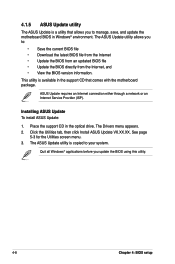
... motherboard package.
ASUS Update requires an Internet connection either through a network or an Internet Service Provider (ISP).
Installing ASUS Update To install ASUS Update:
1. Place the support CD in the optical drive. The Drivers menu appears. 2. Click the Utilities tab, then click Install ASUS Update VX.XX.XX. See page
5-3 for the Utilities screen menu. 3. The ASUS Update utility is copied...
User Manual - Page 68
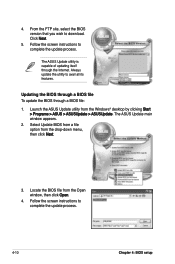
... the BIOS version that you wish to download. Click Next.
5. Follow the screen instructions to complete the update process.
The ASUS Update utility is capable of updating itself through the Internet. Always update the utility to avail all its features.
Updating the BIOS through a BIOS file To update the BIOS through a BIOS file:
1. Launch the ASUS Update utility from the Windows® desktop by...
User Manual - Page 69
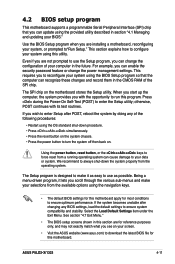
... and stability. Select the Load Default Settings item under the Exit Menu. See section "4.7 Exit Menu."
• The BIOS setup screens shown in this section are for reference purposes only, and may not exactly match what you see on your screen.
• Visit the ASUS website (www.asus.com) to download the latest BIOS file for this motherboard.
ASUS P5LD2-X/1333
4-11
User Manual - Page 99
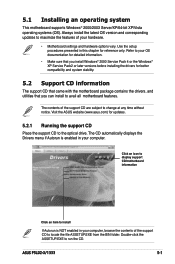
... time without notice. Visit the ASUS website (www.asus.com) for updates.
5.2.1 Running the support CD
Place the support CD to the optical drive. The CD automatically displays the Drivers menu if Autorun is enabled in your computer.
Click an icon to display support CD/motherboard information
Click an item to install
If Autorun is NOT enabled in your computer, browse the contents of the...
User Manual - Page 100
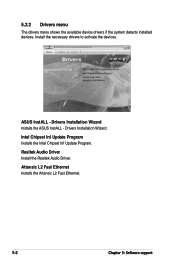
... devices. Install the necessary drivers to activate the devices.
ASUS InstALL - Drivers Installation Wizard Installs the ASUS InstALL - Drivers Installation Wizard.
Intel Chipset Inf Update Program Installs the Intel Chipset Inf Update Program.
Realtek Audio Driver Install the Realtek Audio Driver.
Attansic L2 Fast Ethernet Installs the Attansic L2 Fast Ethernet.
5-
Chapter 5: Software support
User Manual - Page 101
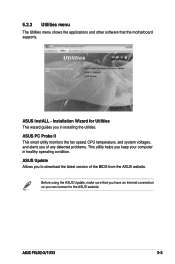
... other software that the motherboard supports.
ASUS InstALL - Installation Wizard for Utilities This wizard guides you in installing the utilities.
ASUS PC Probe II This smart utility monitors the fan speed, CPU temperature, and system voltages, and alerts you of any detected problems. This utility helps you keep your computer in healthy operating condition.
ASUS Update Allows you to download the...
User Manual - Page 104
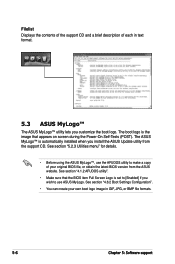
... installed when you install the ASUS Update utility from the support CD. See section "5.2.3 Utilities menu" for details.
• Before using the ASUS MyLogo™, use the AFUDOS utility to make a copy of your original BIOS file, or obtain the latest BIOS version from the ASUS website. See section "4.1.2 AFUDOS utility".
• Make sure that the BIOS item Full Screen Logo is set...
User Manual - Page 109
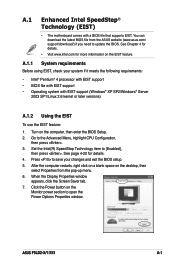
... 4-20 for details. 4. Press to save your changes and exit the BIOS setup. 5. After the computer restarts, right click on a blank space on the desktop, then
select Properties from the pop-up menu. 6. When the Display Properties window
appears, click the Screen Saver tab. 7. Click the Power button on the
Monitor power section to open the Power Options Properties window.
ASUS P5LD2-X/1333
A-